
Skip to content

Multi-Region OCI VDI: The Definitive Global Deployment Strategy

Introduction: From Network Theory to Global VDI Reality

In a previous analysis, “Optimizing Multi-Cloud Network Performance,” this series established that latency is the cardinal challenge in any global application deployment. For real-time, interactive workloads like Virtual Desktop Infrastructure (VDI), this challenge becomes an absolute barrier. The analysis quantified the “Optimal Performance Radius,” concluding that for a truly responsive experience—such as video conferencing or high-frequency data exchange—users must be within 100-200 kilometers of the serving gateway, achieving latency of less than 20 milliseconds.

Once latency climbs above 50 milliseconds, which occurs at distances beyond 500 kilometers, noticeable delays begin to “affect processes”. For a global enterprise with teams in New York, London, and Singapore, this data presents an unavoidable conclusion: a single-region VDI deployment is architecturally indefensible. It is a mathematical certainty that users outside the host region will experience significant lag, leading to user frustration, lost productivity, and failed project adoption.

Therefore, a multi-region architecture is not a “nice-to-have” for disaster recovery; it is a foundational, non-negotiable requirement for any global VDI deployment.

This article provides the definitive architectural blueprint for solving this multi-region challenge. It details a strategy that combines a VDI platform built for a decoupled, global model—Thinfinity Workspace—with a cloud platform architected for true regional independence and high-performance networking: Oracle Cloud Infrastructure (OCI).

The Architectural Foundation: Why OCI’s Design Defeats VDI Complexity

Before designing the VDI solution, the choice of the underlying Infrastructure-as-a-Service (IaaS) is critical. While market leaders have dominated the conversation, their architectures contain hidden risks for global VDI. Recent major outages have exposed the “enemies of resilience”: centralized control planes and edge-level configuration risks. A heavy reliance on a single “master” region, such as AWS’s us-east-1, means a localized failure there can create a cascading disruption to global operations.

Oracle Cloud Infrastructure (OCI) was architected from the ground up to prevent this. Its design philosophy aligns perfectly with the needs of a resilient, global VDI:

  • True Regional Autonomy: OCI treats each region as a completely fault-isolated domain. Unlike other providers, there is no hidden dependency on a single master region for core functions. If one OCI region experiences a failure, the others “keep operating—fully, autonomously, and without interruption”. For a global VDI, this means an outage in the Ashburn region will not impact the functionality of the Frankfurt or Singapore regions.
  • High-Performance Fabric: Within each region, OCI is built with a flat, non-blocking network fabric. This design guarantees low-latency, high-throughput, and highly predictable performance. This is critical for the “east-west” traffic of a VDI deployment, such as VDI instances communicating with high-IOPS storage backends for user profiles.
  • Economical Data Transfer: A multi-region architecture is only viable if the cost of data replication is predictable. OCI’s pricing model, which includes lower data egress fees and global flat-rate pricing, directly addresses the high egress costs identified as a major multi-cloud challenge. This makes the high-volume replication of user profiles and golden images—a requirement for any multi-region strategy—economically feasible.

This synergistic match of decoupled, autonomous IaaS regions and a cost model that encourages data replication makes OCI the ideal foundation for a modern, resilient VDI architecture.

Thinfinity + OCI: A Modern, Decoupled VDI Architecture

The next layer is the VDI platform itself. Legacy VDI solutions (often called “traditional VDI”) carry significant “architecture debt”. These monolithic stacks, built for on-premises data centers, are a complex tapestry of brokers, StoreFront servers, load balancers (ADCs), and licensing servers. This model is operationally heavy, requires niche and expensive specialized administrators, and creates a fragile system where “slow change cycles” for updates can take weeks.

Thinfinity Workspace provides a modern alternative built on a lightweight, containerized, microservices-based architecture. This decoupled design is uniquely suited for OCI’s regional model. The key components for a global deployment are:

  • Communication Gateways: These are the user-facing entry points, functioning as highly efficient reverse proxies. In a global deployment, a fleet of these gateways is deployed in every OCI region, as close to the end-users as possible. This is the lynchpin for achieving the sub-20ms latency goal.
  • Broker: This lightweight control plane manages Role-Based Access Control (RBAC), identity brokering (SAML, OIDC), and resource pooling. Its flexible architecture allows it to be deployed in a high-availability (HA) model within a region, completely decoupled from the gateways.
  • Virtualization Agent: A simple agent deployed on the VDI pools (VMs). It establishes a connection to the broker using a unique agent ID, eliminating the complex IP-based network dependencies that plague legacy systems and simplifying network security rules.

All user connections are 100% browser-based (HTML5) or via an optional lightweight client. The entire session is brokered over HTTPS/TLS, requiring no VPNs and integrating natively with any SAML or OIDC identity provider. This provides a built-in Zero Trust Network Access (ZTNA) framework from day one.

For architects evaluating global VDI on OCI, the choice of platform has profound implications for cost, complexity, and resilience.

Table 1: VDI Solution Comparison on OCI

Feature Thinfinity Workspace on OCI Citrix DaaS on OCI VMware Horizon on OCVS OCI Secure Desktops
Architecture Decoupled Services (Gateways, Broker) Running On OCI Native. Cloud-native. Monolithic “architecture debt” (Cloud Connectors, ADCs). Control plane is external. Requires full VMware SDDC (vSphere, NSX) on OCI Bare Metal (OCVS). OCI-native service, simplified componentry.
Multi-Region Model Simple and flexible. Deploy regional gateways and VDI pools. Flexible broker placement. Complex. Relies on centralized Citrix Cloud control plane. Regional resources (connectors) link back to it. Highly complex. Requires multi-pod/site architecture (Cloud Pod Architecture) & global load balancers. Regional service. Multi-region requires manual setup of compute, storage, and networking in each region.
ZTNA Built-in. No VPN, HTTPS brokering, native IdP integration. Requires separate Citrix Gateway / ADC (formerly NetScaler). Adds complexity and cost. Requires separate Unified Access Gateway (UAG) appliances. OCI-native ZTNA, but less flexible than a full VDI solution.
Client Access 100% Clientless HTML5 (or optional native client). Requires Citrix Workspace app for full features. HTML5 access is limited. Requires Horizon Client for full features and protocol optimization. HTML5 or thin client access.
OCI Integration Native. Deploys on standard OCI Compute (VMs, GPU) & VCNs. Integrates with OCI SDK/API. Deploys on OCI Compute, but control plane is an external SaaS. Integration via Cloud Connectors. Abstracted. Runs on VMware hypervisor (ESXi) on bare metal, not native OCI KVM. Manages its own network (NSX). Native. Fully managed OCI service.
Licensing Simple: Concurrent Users. Complex: Named User / CCU, feature-tiered. Extremely complex: VMware licensing + OCI bare-metal infrastructure costs. OCI-native, consumption-based pricing.

Reference Architecture: The Multi-Region Hub-and-Spoke VDI Topology

This reference architecture implements OCI’s best-practice network pattern—the hub-and-spoke topology—to build a secure, scalable, and globally-replicated VDI environment.

This design is deployed in each OCI region (e.g., Frankfurt and Ashburn). A global networking layer connects them.

Regional Hub VCN (Virtual Cloud Network):

This VCN acts as the central point of connectivity for all shared services and ingress/egress traffic. It contains:

  • Public Subnet: An OCI Load Balancer and OCI Web Application Firewall (WAF) provide a secure, highly-available public entry point.
  • Private Gateway Subnet: A fleet of Thinfinity Communication Gateways, which receive traffic from the load balancer.
  • Private Management Subnet: The Thinfinity Broker (in an HA model), Active Directory domain controllers, and administrator bastion hosts (or the OCI Bastion service).
  • Private Storage Subnet: High-performance file servers (e.g., Windows VMs on OCI Block Volumes) or OCI File Storage (FSS) instances that host the FSLogix user profile shares.

Regional Spoke VCN(s):

These VCNs are peered to the Hub VCN and are used to isolate the VDI workloads. This separation of concerns is a security best practice. They contain:

  • Private VDI Subnet(s): The VDI desktop pools, which can be standard VMs for task workers or NVIDIA A10-based GPU instances (VM.GPU.A10.1) for power users.

The Thinfinity Virtualization Agents are installed on these VMs, which initiate connections outbound to the Broker in the Hub VCN.

The Global “Glue”:

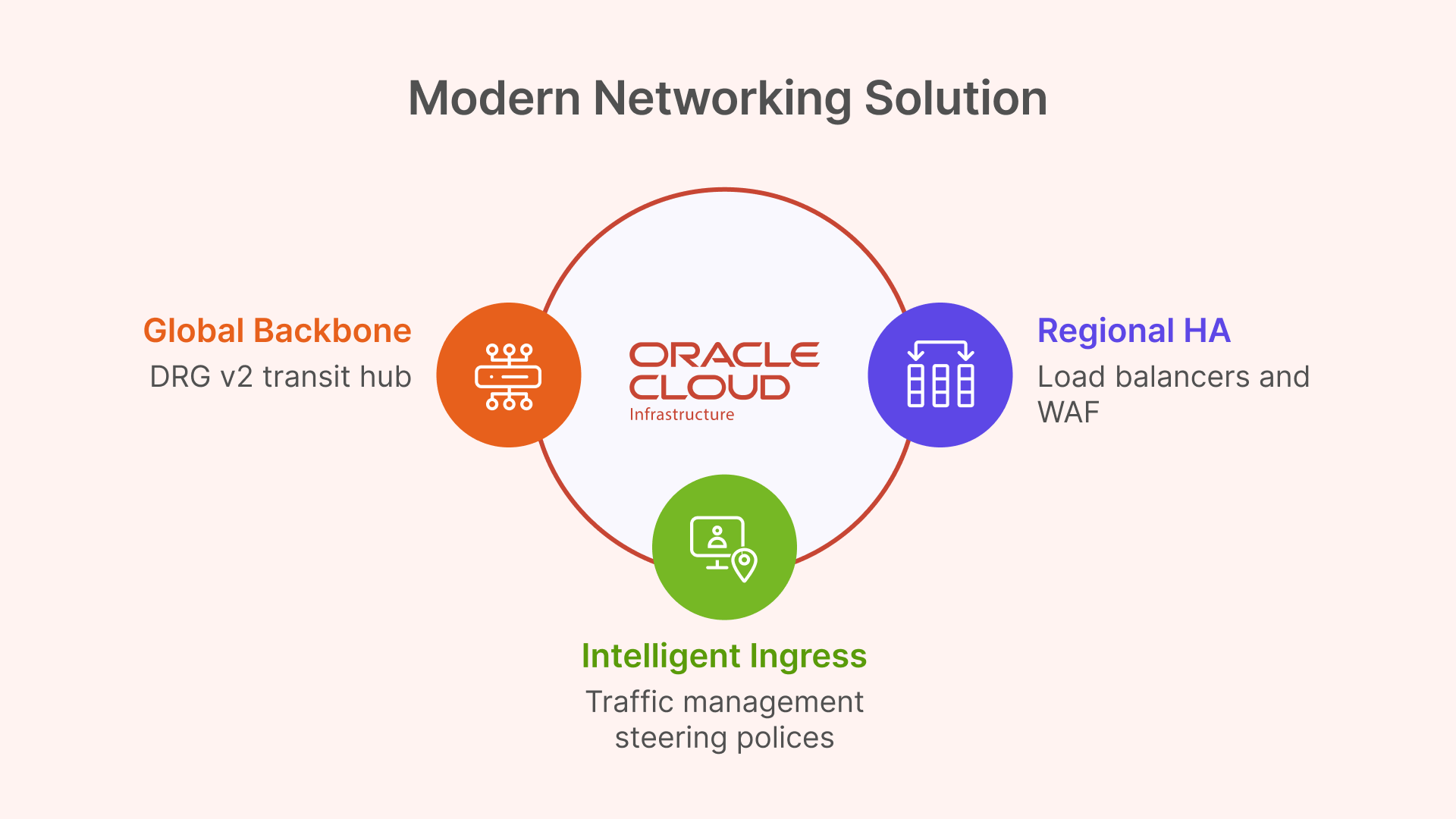
  • OCI Dynamic Routing Gateway (DRG v2): Each regional Hub VCN is attached to its own DRG. The DRGs in each region are then peered together, creating a high-speed, private global backbone over OCI’s network for replication traffic.
  • OCI Traffic Management: This global DNS service sits “above” all regions, intelligently directing users to the nearest regional Hub VCN based on their geographic location.
Technical Deep Dive: Core OCI Networking for Global VDI

Global Backbone with Dynamic Routing Gateway (DRG v2)

For connecting the regional deployments, architects could use older Remote VCN Peering (RPCs). However, this method is point-to-point and becomes unmanageable in a mesh of many regions.

The modern and superior solution is the OCI Dynamic Routing Gateway (DRG v2). A DRG is a powerful virtual router that can attach to VCNs, on-premises FastConnect circuits, and—most importantly—other DRGs via RPCs. It supports up to 300 VCN attachments and has its own internal, programmable route tables.

This enables a clean “DRG Transit Hub” design. Instead of a complex mesh, each regional Hub VCN attaches to its local DRG. The DRGs are then connected to each other. This creates a scalable, high-performance global transit backbone for all “backend” VDI traffic, such as user profile replication, which flows securely over the OCI backbone, not the public internet.

Intelligent Ingress with OCI Traffic Management Steering Policies

The DRG solves the backend network; OCI Traffic Management solves the frontend user latency problem. This service is the practical implementation of the “Geo-IP based routing” discussed in the previous article.

A Traffic Management Steering Policy is configured for the global VDI DNS name (e.g., desktop.mycorp.com). The policy type will be Geolocation Steering.

This policy uses “Answer Pools” and “Steering Rules”:

  • Answer Pool 1 (NA): The public IP of the OCI Load Balancer in the Ashburn region.
  • Answer Pool 2 (EMEA): The public IP of the OCI Load Balancer in the Frankfurt region.
  • Steering Rule 1: If DNS query originates from North America, return Answer Pool 1.
  • Steering Rule 2: If DNS query originates from Europe, return Answer Pool 2.
  • Default Rule: All other queries are sent to a default pool (e.g., the closest or primary).

When a user in London opens their browser, their DNS query is resolved to the Frankfurt endpoint, achieving the sub-20ms latency target.

Regional HA and Security with Load Balancers & WAF

The Geolocation policy must point to a highly-available endpoint. This is the regional OCI Load Balancer. This is a managed OCI service that operates at Layer 7 (HTTP), terminates SSL, and distributes incoming user connections across the fleet of private Thinfinity Gateways.

This is a point of critical architectural simplification. Legacy VDI solutions like VMware Horizon have complex networking requirements, including the need to maintain session persistence between an initial TCP authentication and the subsequent UDP-based protocol traffic. This is “not possible” with the standard OCI Load Balancer, forcing complex workarounds.

Thinfinity, being 100% HTML5-first, brokers the entire user session over a standard HTTPS (TCP) connection. It therefore works perfectly with the standard, managed OCI L7 Load Balancer, requiring no complex UDP persistence, no third-party appliances, and no complex network engineering.

For security, the OCI Web Application Firewall (WAF) is layered in front of the public Load Balancer. It is configured with a “deny-by-default” policy to inspect all incoming traffic and protect the Thinfinity Gateways from web exploits and other L7 attacks.

Table 2: OCI Multi-Region VDI Networking Components

OCI Service Service Type Role in Global VDI Architecture
OCI Traffic Management Global DNS Geo-IP Routing: Directs users to the nearest OCI region based on their location. Solves the <20ms latency goal.
OCI Load Balancer (L7) Regional L7 High Availability: Terminates SSL and distributes traffic across the regional fleet of Thinfinity Gateways.
OCI WAF Security Gateway Protection: Protects the public-facing Load Balancers and Thinfinity Gateways from L7 attacks.
OCI Dynamic Routing Gateway (DRG v2) Global Routing Global Backbone: Acts as a transit hub to mesh all regional Hub VCNs, enabling secure, private replication traffic.

Solving the Global User State: Multi-Region Profile Management

The most complex challenge in any multi-region VDI deployment is managing user state. For modern Windows VDI, this means managing FSLogix Profile Containers. These are VHD or VHDX virtual disk files, typically stored on a central SMB file share, that mount to the VDI at login to provide a persistent user profile.

In a multi-region disaster recovery (DR) scenario, the question is: how do we replicate the user’s VHDX file from the primary region (Frankfurt) to the DR region (Ashburn)?

Solution Pattern 1 (Recommended): OCI File Storage with Cross-Region Replication

The simplest, most robust, and most cost-effective solution leverages OCI’s native storage capabilities.

  • Storage: The FSLogix profile shares are hosted on file servers in the Hub VCN’s private storage subnet. These file servers use high-performance OCI Block Volumes for their data. Alternatively, the managed OCI File Storage (FSS) service can be used for NFS-based shares.
  • Replication: The key OCI feature is that both OCI Block Volumes and OCI File Storage (FSS) support native, asynchronous cross-region replication.
  • Mechanism: This replication is configured at the block level, beneath the file system. It simply replicates changed blocks from the primary region’s volume (Frankfurt) to a read-only destination volume (Ashburn). Because it is not file-aware, it is not affected by the file-locking issues that plague other solutions.

This OCI-native replication is the perfect tool for an Active-Passive DR plan, providing a clear Recovery Point Objective (RPO) with zero performance impact on the active user session.

Solution Pattern 2 (Alternative Geometries)

Other common methods are far more complex and fragile:

  • FSLogix Cloud Cache: This is FSLogix’s built-in feature for active-active replication, where the user’s client writes to multiple SMB shares simultaneously. This is notoriously complex, can be fragile, and generates massive I/O overhead, which can slow user login and logoff times.
  • Windows DFS-N + DFS-R: It is common to use DFS-Namespace (DFS-N) to create a global share path (e.g., \\mycorp.com\profiles). However, DFS-Replication (DFS-R) is explicitly NOT supported for FSLogix profile containers. Its file replication mechanism cannot handle the open file locks of VHDX files and will lead to data corruption.
  • Windows DFS-N + 3rd Party Sync: Viable alternative if OCI-native replication is not an option.

OCI’s native storage replication services fundamentally simplify VDI disaster recovery, making complex and fragile application-level replication tools obsolete for most standard DR patterns.

Table 3: Global User Profile Replication Strategies on OCI

Replication Solution Architecture Performance Impact Complexity Recommended Use Case
OCI Storage Cross-Region Replication Active-Passive (DR) None. Asynchronous, block-level replication. No impact on user session I/O. Low. OCI-native, “set it and forget it” feature. Recommended: Primary DR strategy for 99% of deployments.
FSLogix Cloud Cache Active-Active High. Duplicates all profile writes to all locations. Can slow login/logoff. Very High. Fragile, difficult to troubleshoot, high I/O cost. Niche: For “follow-the-sun” active-active models where users must have instant R/W access in any region.
Windows DFS-N + DFS-R Active-Passive N/A (DFS-R is unsupported) High. (DFS-N is fine) NOT SUPPORTED. DFS-R will corrupt FSLogix profiles.

The “Golden Image” Factory: An Automated Multi-Region CI/CD Pipeline

The second major operational challenge of multi-region VDI is managing “golden images.” Manually patching and distributing new images across the globe is a prime example of “golden image gymnastics” or “image sprawl”. This slow, manual process, which can take weeks, is error-prone and a significant security risk.

The solution is to treat image management as a CI/CD pipeline, transforming VDI operations from a slow “ITIL” model to a high-speed “DevOps” workflow.

Step 1: Build (Automated)

In a primary “build” region (e.g., Frankfurt), the image creation is automated. This can be done using the OCI Secure Desktops Image Builder, a new CLI tool from Oracle that automates and simplifies the creation of VDI-optimized Windows images. For more advanced automation, OCI DevOps or tools like Packer with Terraform can be used.

Step 2: Distribute (Automated)

This is the key multi-region step, automated using OCI services:

  1. The build process exports the new “Custom Image” to an OCI Object Storage bucket in the Frankfurt region.
  2. An OCI Object Storage replication policy is configured to automatically copy the image file to “replica” buckets in the Ashburn and Singapore regions.
  3. In each destination region, an OCI Function or scheduled script is triggered by the new object’s arrival. This script imports the image from its local Object Storage bucket, creating a new, regional “Custom Image”.

Step 3: Deploy (Orchestrated)

The new Custom Image OCID is now available locally in all regions. Thinfinity Cloud Manager, which is natively integrated with OCI, takes over. It manages the full “golden image lifecycle”. The administrator simply updates the VDI pool definition to point to the new image OCID. Thinfinity’s orchestrator then performs a safe, rolling update of the VDI pools, automatically decommissioning old VMs and provisioning new ones from the updated image based on policy and user demand.

This “Image Factory” pipeline turns a multi-week, high-risk manual task into a low-friction, auditable, and secure automated workflow, allowing organizations to “change at cloud speed”.

Implementing a Zero Trust Framework for Global VDI

This global architecture is not only performant but inherently secure, built on a modern Zero Trust framework rather than an outdated perimeter-based model.

Pillar 1: Identity as the Perimeter (Thinfinity + OCI IAM)

Traditional VDI often requires a VPN or exposes RDP to the internet, creating a massive attack surface. The Thinfinity + OCI model inverts this.

  • No VPN: Thinfinity has a built-in ZTNA framework. All access is brokered over HTTPS/TLS via the regional Thinfinity Gateway. The VDI virtual machines themselves are in private subnets with no direct ingress from the internet.
  • Federated Identity: Thinfinity (acting as the Service Provider) is federated with OCI IAM Identity Domains (acting as the Identity Provider) using SAML 2.0 or OIDC. Thinfinity has native support for SAML-based IdPs.
  • Centralized Enforcement: This federation allows OCI IAM to be the single, authoritative source for identity. It enforces all access policies—such as Multi-Factor Authentication (MFA), RBAC, and device posture checks—before Thinfinity ever brokers the user’s session to a VM. OCI IAM Domains can also be replicated across regions, providing a globally consistent identity source.

Pillar 2: Micro-segmentation (OCI Network Security Groups)

To implement least-privilege access within the VCN, this architecture uses Network Security Groups (NSGs), not OCI’s older, subnet-based Security Lists.

This is a critical distinction. A Security List is “subnet-centric”—to allow VDI VMs to access a file share, one must open SMB port 445 to the entire VDI subnet, which is poor security.

NSGs are “application-centric.” A resource, like a VM’s network interface (VNIC), is assigned to one or more NSGs. The firewall rules can then use other NSGs as the source or destination, not just a CIDR block.

This enables a true micro-segmentation blueprint:

  • vdi-pool-nsg: Assigned to all VDI virtual machines.
  • file-server-nsg: Assigned to the FSLogix profile file servers.
  • ad-controller-nsg: Assigned to the Active Directory domain controllers.

With these in place, the security rules become application-aware and IP-independent:

  • Rule for file-server-nsg: Ingress: Allow TCP/445 from Source = vdi-pool-nsg.
  • Rule for ad-controller-nsg: Ingress: Allow Kerberos/LDAP from Source = vdi-pool-nsg AND Source = file-server-nsg.

This stateful firewalling between application tiers dramatically limits an attacker’s ability to move laterally, a core principle of Zero Trust.

Pillar 3: High-Performance, Secure Workloads (OCI GPUs)

This Zero Trust model does not compromise on performance. For power users in engineering, design, or data science, VDI pools can be provisioned using OCI’s powerful NVIDIA GPU instances. Specifically, the A10 Tensor Core shapes (e.g., VM.GPU.A10.1, VM.GPU.A10.2) are ideal. The NVIDIA A10 is designed for “graphics-rich virtual desktops” and “NVIDIA RTX Virtual Workstation (vWS)” workloads. These high-performance VMs are simply assigned to their own NSG and are protected by the exact same ZTNA framework, receiving secure, brokered access from Thinfinity.

Disaster Recovery Patterns: Active-Active vs. Active-Passive VDI

This architecture provides the building blocks for two distinct multi-region strategies.

Pattern 1: Active-Passive (Hot Standby) – Recommended for DR

This is the most common, cost-effective, and simplest DR model.

  • Primary Region (e.g., Frankfurt): Fully active. All VDI pools are running. OCI Traffic Management directs 100% of global traffic here. The OCI Block Volume/FSS hosting profiles is in read/write mode.
  • DR Region (e.g., Ashburn): Deployed as a “Warm Standby” or “Pilot Light.”
    • Compute: The VDI host pools are provisioned but scaled to zero (or a minimal admin set) to eliminate compute costs.
    • Storage: The profile storage (Block Volume or FSS) is in a read-only state, receiving asynchronous cross-region replication.
  • Failover Process: When an outage is declared in Frankfurt, an administrator (or automated script) executes three steps:
    1. Storage: Promote the Ashburn OCI storage volume from read-only to read/write.
    2. Compute: Use the Thinfinity Cloud Manager to scale up the VDI pools in Ashburn from 0 to 100% capacity.
    3. Network: Update the OCI Traffic Management Steering Policy to route 100% of traffic to the Ashburn Load Balancer.

This strategy provides a full regional failover with a Recovery Time Objective (RTO) measured in minutes, all at a fraction of the cost of an active-active deployment.

Pattern 2: Active-Active – Recommended for Global Performance

This model is not for disaster recovery, but for solving the core latency problem for a globally distributed workforce.

  • Architecture: Both the Frankfurt and Ashburn regions are fully active, simultaneously serving users.
  • Networking: The OCI Geolocation Steering Policy is critical. It routes EMEA users to the Frankfurt VDI pools and North American users to the Ashburn VDI pools, ensuring everyone gets a low-latency (<20ms) experience.

The Profile Challenge: This model creates a significant user profile challenge. If a user from London (EMEA) logs into Frankfurt, their profile is modified. If they fly to New York (NA) the next week and log into Ashburn, they must receive their updated profile, and any changes made in Ashburn must be replicated back to Frankfurt.

This requirement for bi-directional, multi-master replication invalidates the simple, one-way Active-Passive OCI storage replication. This model forces the use of a more complex and fragile application-level solution, such as FSLogix Cloud Cache, to synchronize the user profile VHDX files.

Architects must therefore weigh the trade-offs: the Active-Active deployment provides the best global user performance but at the cost of significantly higher complexity and fragility at the user profile layer.

Conclusion: A Resilient, Performant Global VDI Blueprint

The hard physical limits of latency, which mandate a <20ms round-trip time for a quality user experience, have rendered single-region VDI obsolete for global enterprises. The path forward is a resilient, multi-region architecture.

Success, however, is not achieved by forcing complex, legacy VDI stacks onto a cloud platform. It is achieved through the synergy of a cloud-native VDI platform and a cloud IaaS built for true resilience.

This definitive blueprint provides that synergy:

  • OCI’s Fault-Isolated Regions provide the resilient foundation, eliminating the risk of centralized control plane failures.
  • Thinfinity’s Decoupled Gateways are deployed regionally, solving the user-facing latency problem.
  • OCI’s Global Networking (Traffic Management for Geo-IP routing and DRG v2 for a backend mesh) provides the global connectivity.
  • OCI’s Native Storage Replication provides a simple, robust, and cost-effective solution for Active-Passive disaster recovery.
  • Thinfinity’s Cloud Manager and OCI’s Image/Storage Automation create an “Image Factory,” transforming VDI operations into a modern DevOps workflow.
  • OCI’s NSGs and Thinfinity’s ZTNA provide an “identity-aware” and “application-aware” security posture that is secure by default.

This combination of Thinfinity Workspace and Oracle Cloud Infrastructure is the definitive strategy for deploying a global VDI solution that is performant, resilient, secure, and—most importantly—operationally simple to manage at scale.

About Cybele Software Inc.
We help organizations extend the life and value of their software. Whether they are looking to improve and empower remote work or turn their business-critical legacy apps into modern SaaS, our software enables customers to focus on what’s most important: expanding and evolving their business.

About Version 2 Limited
Version 2 Digital is one of the most dynamic IT companies in Asia. The company distributes a wide range of IT products across various areas including cyber security, cloud, data protection, end points, infrastructures, system monitoring, storage, networking, business productivity and communication products.

Through an extensive network of channels, point of sales, resellers, and partnership companies, Version 2 offers quality products and services which are highly acclaimed in the market. Its customers cover a wide spectrum which include Global 1000 enterprises, regional listed companies, different vertical industries, public utilities, Government, a vast number of successful SMEs, and consumers in various Asian cities.

FSLogix Deep Dive: The Ultimate VDI Configuration Guide (2025)

As a solution engineer who has been in the trenches with VDI and Terminal Servers since the days of Windows NT 4.0, I’ve seen profile management evolve from a chronic pain point to a solved problem. The solution? FSLogix.

Before Microsoft acquired it, FSLogix was the “secret weapon” that VDI architects used to fix the unfixable. Today, it’s the default, non-negotiable standard for any modern VDI or multi-session Windows deployment, especially Azure Virtual Desktop (AVD).

This deep-dive guide will cover its uses, advanced configurations, and best practices for building a resilient, high-performance deployment, including specific GPO settings for clustered environments.

The FSLogix Toolkit: What It Is and Why You Need It

At its core, FSLogix is a set of tools designed to decouple the user profile from the Windows operating system. In non-persistent VDI, where a user’s virtual machine is destroyed or reset at logoff, this is essential.

Instead of copying a roaming profile (which is slow, fragile, and a primary cause of slow logins), FSLogix mounts a user’s profile, stored in a VHDX (virtual disk) file on a network share, directly into the OS at login. It’s instant, seamless, and transparent to Windows.

The FSLogix suite includes:

  • Profile Container: This is the main component. It captures the entire user profile (C:\Users\<username>) and redirects it to the VHDX. This includes all app settings, registry keys (NTUSER.dat), and user data.
  • Office Container (ODFC): This component only redirects the data for Microsoft 365 apps (Outlook cache .ost, Teams data, OneDrive cache, etc.).
  • Application Masking: A powerful tool that allows you to “hide” applications, drivers, or fonts from specific users, even if they are installed on the base image. This dramatically simplifies “golden image” management.
  • Java Redirection: A niche component to manage multiple versions of Java for specific applications.

The Great Debate: Profile Container vs. ODFC

This is the most common point of confusion. Let’s be clear:

Best Practice: In 99% of new deployments, you should use only the Profile Container.

Do NOT use a separate Profile Container and a separate Office Container. This is a common-sense myth that adds complexity, doubles the VHDX files to manage, and increases points of failure.

The Profile Container already captures all Office data. The only reason ODFC exists as a separate component is for legacy environments that already have another profile solution (like Citrix UPM or VMware DEM) and just want to add FSLogix to fix Office performance.

In your Group Policy (GPO) or registry settings, you simply configure the Profile Container Enabled = 1 and ensure Office data is included.

FSLogix Cluster & GPO Configuration

FSLogix Clusters are fundamental for ensuring user profile persistence. In this model, each “cluster node” is typically a high-availability file server (like a Windows Server 2022 Scale-Out File Server) that provides dedicated, fault-tolerant storage for the dynamic profile VHDX files.

This guarantees session consistency across different VDI hosts. Configuration is applied and managed through GPOs (Group Policy Objects), ensuring standardization and centralized governance throughout the environment. Each VDI instance uses the FSLogix Agent to connect to the cluster share over SMB (port 445).

FSLogix Configuration Parameters (via GPO)

Here is a baseline set of GPO settings for a production environment. These settings are applied via GPO, which writes the corresponding values to the registry.

Find the detailed parameters on The following link: FSLogix Cluster Sizing and Configuration

Here is a copy-ready deep-dive on FSLogix, integrating your specific configuration parameters.

Advanced Optimization & Resilience

Getting the GPOs set is step one. Making it fly and never fail is step two.

1. Optimization: The Redirections.xml File

This is the most powerful optimization tool. The Redirections.xml file allows you to exclude “junk” data from being saved in the user’s profile container. By excluding data, you keep the VHDX small, logins fast, and network traffic low.

A good Redirections.xml file should exclude:

  • Browser caches (Chrome, Edge, Firefox)
  • Temp folders
  • Windows Search and Update logs
  • Teams cache (FSLogix now handles Teams data very well natively, but some still exclude the media-stack folder).

You place this file on your network share and point to it in your GPO using the RedirectionXMLSourceFolder setting.

2. Resilience: Antivirus Exclusions (Non-Negotiable)

This is the #1 cause of profile corruption and performance issues. Your VDI session hosts must exclude the FSLogix processes and file locations from real-time antivirus scanning.

Process Exclusions:

  • frxsvc.exe
  • frxshell.exe
  • frxccd.exe (if using Cloud Cache)

File/Directory Exclusions:

  • %ProgramFiles%\FSLogix
  • %APDATA%\FSLogix
  • The network share(s) where your VHDX files are stored.
  • File Extensions: .vhd, .vhdx

3. High Availability: Cloud Cache vs. Storage-Level HA

You have two main ways to achieve high availability.

Storage-Level HA (Your “Cluster” Model):

This is the easiest and most reliable method. You use a storage solution that is already highly available (like a Windows Server 2022 Scale-Out File Server, a cluster, or Azure Files ZRS). You then set a single path in VHDLocations. If a storage node fails, the storage cluster handles it transparently.

FSLogix Cloud Cache (Recommended for DR):

Cloud Cache is the FSLogix-native HA solution. You configure multiple storage locations (e.g., one on-prem, one in Azure). FSLogix writes to a local cache on the VDI host first, then asynchronously replicates changes to all storage locations. This is more complex but provides true active-active access and disaster recovery.

4. Network Settings: The Unsung Hero

Your VDI session hosts and your file server must be as close as possible.

  • Same Datacenter/Region: Never route core FSLogix traffic over a WAN.
  • Same Subnet (Zero Latency): FSLogix traffic (SMB/445) is highly sensitive to latency. Place your VDI session hosts (clients) and your FSLogix file share on the same subnet. This eliminates any firewall, router, or traffic inspection device from the data path. Even a tiny delay from a firewall policy check can cause login slowdowns and profile hangs.
  • Enable SMB Multichannel: Allows Windows to use multiple network connections to your file share, increasing throughput and resiliency.

Expert Tips: FSLogix with Thinfinity VDI on OCI

This is a great, modern stack. Thinfinity is a VDI broker that is “infrastructure agnostic,” meaning it can manage session hosts anywhere—including OCI. FSLogix is the agent on those OCI session hosts.

Here’s how to make them work together perfectly.

  • Thinfinity and FSLogix are Partners: Thinfinity manages the connection, and FSLogix manages the profile inside the session. They don’t conflict; they complement each other. The Thinfinity non-persistent/multi-session model requires a solution like FSLogix.
  • Authentication is King (Active Directory): FSLogix requires Active Directory. Your OCI-based VDI session hosts must be joined to an Active Directory domain. This means you must have Domain Controllers running on OCI Compute instances or have a line-of-sight connection (via OCI FastConnect or VPN) back to your on-prem AD.
  • Storage on OCI: Your best bet is OCI File Storage. It’s a managed, zonal, high-performance file service that supports the SMB protocol.
    1. Create a File System in OCI.
    2. Create a Mount Target in the same VCN and Availability Domain as your Thinfinity session hosts.
    3. Configure the VCN Security Lists (firewall) to allow SMB (TCP/445) traffic only from your session host subnet to the File Storage subnet.
  • OCI Network Latency: The “same AD” principle is critical in OCI. OCI’s Availability Domains are physically separate datacenters. While cross-AD latency is low, for the absolute best performance, your session host pools and your OCI File Storage mount target should reside in the same Availability Domain.

Conclusion: It Is Not an Add-On

FSLogix is not merely a “feature” or an “add-on” for a VDI deployment; it is the cornerstone of the modern user experience. It has single-handedly solved the decades-old problem of profile management, transforming non-persistent VDI from a compromise into a high-performance, user-centric solution.

However, as this guide has demonstrated, a successful FSLogix deployment is an exercise in precision. The difference between a high-performance environment and a support-ticket nightmare lies not in if you use FSLogix, but how.

Success is built on a foundation of three pillars:

  • Low-Latency, High-Availability Storage: Your profile solution is only as reliable as the file cluster it runs on.
  • An Unobstructed Network Path: Placing VDI hosts and storage on the same subnet, free from inspection, is the single most effective way to guarantee fast logins.
  • Intelligent Configuration: From GPOs to Redirections.xml, optimization is about what you exclude as much as what you include.

When architected correctly—with the same engineering rigor you apply to your VDI hosts and network—FSLogix becomes the silent, invisible hero of your virtual desktop infrastructure. It delivers the one thing that matters most: a user experience that is fast, resilient, and never gets in the way.

About Cybele Software Inc.
We help organizations extend the life and value of their software. Whether they are looking to improve and empower remote work or turn their business-critical legacy apps into modern SaaS, our software enables customers to focus on what’s most important: expanding and evolving their business.

About Version 2 Limited
Version 2 Digital is one of the most dynamic IT companies in Asia. The company distributes a wide range of IT products across various areas including cyber security, cloud, data protection, end points, infrastructures, system monitoring, storage, networking, business productivity and communication products.

Through an extensive network of channels, point of sales, resellers, and partnership companies, Version 2 offers quality products and services which are highly acclaimed in the market. Its customers cover a wide spectrum which include Global 1000 enterprises, regional listed companies, different vertical industries, public utilities, Government, a vast number of successful SMEs, and consumers in various Asian cities.

Zero-Trust VDI for Trading Floors: Meet SEC 17a-4 with Browser-Native Desktops

Capital markets operate under the harshest interdiv of regulatory scrutiny, cyber risk, and real-time performance requirements. Trading floors must simultaneously ensure sub-10 ms latency, enforce strict segregation of duties, store records immutably, and prevent any leakage of sensitive market data—whether traders are working on-premises, at home, or in regulated international environments.

Traditional VDI and physical trading towers were never designed for this landscape. They assume trusted networks, trusted devices, and perimeter firewalls—models that no longer match the way trading firms operate. In 2025, regulatory agencies expect firms to adopt Zero-Trust principles, enforce strict identity governance, and produce immutable audit evidence on demand.

Browser-native desktops running on Oracle Cloud Infrastructure (OCI) provide a direct path to achieving this. They eliminate the endpoint as a threat vector, record sessions immutably, centralize policy enforcement, and store all regulatory evidence in WORM form. For CISOs and compliance leaders, this architecture simplifies what was previously a patchwork of tools and controls into a single, governable system.

To understand the architecture powering browser-native trading desktops, start with our foundational guide.

Why Zero-Trust Matters in Trading Environments

Trading floors remain one of the highest-value targets for cyber-attacks. Sophisticated adversaries are now specifically exploiting unmanaged home networks, personal devices, and VPN tunnel exposures. A compromised trader laptop is not simply an IT issue—it can lead to unauthorized trades, leaked models, or regulatory violations.

Zero-Trust VDI removes trust from the endpoint entirely. Every session is authenticated, authorized, segmented, monitored, and recorded, regardless of the user’s location. Nothing on the device has privileged access. No data ever lands on the endpoint. Every action is captured for compliance.

Thinfinity’s browser-native protocol and OCI’s defense-in-depth controls create a hardened pathway for financial workloads: low-latency, high-fidelity, and compliant by design.

How Browser-Native Desktops Achieve Zero-Trust

Zero-Trust is not a feature—it is an operational model. Browser-native desktops on OCI enforce this model through five architectural principles that traditional VDI cannot replicate.

  1. Endpoints Carry Zero Data
    Because all rendering is performed through WebGL and HTML5 canvas, the endpoint receives only encrypted pixels. No files, credentials, or cached artifacts are ever present locally. Lost or compromised devices become irrelevant to risk assessment.
  2. Sessions Are Recorded and Stored Immutably
    Every trader session is captured as an MP4 with correlated log metadata. OCI Object Storage WORM ensures these recordings cannot be altered, overwritten, or deleted before their retention period expires. This directly satisfies requirements under SEC 17a-4(f), FINRA 4511, and CFTC 1.31(b).
  3. Policy Enforcement Is Centralized in the Cloud
    Role-based access control defines exactly which applications, data sets, market-data sources, and execution systems a trader can access. No policy exists at the device level—everything is authenticated and enforced from the cloud, reducing regulatory drift and shadow-IT exposure. [Image of Zero-Trust Architecture illustrating centralized policy enforcement]
  4. Identity Is Federated Through SAML or OIDC
    Identity becomes the new perimeter. Traders authenticate using the firm’s enterprise identity provider, MFA, and device posture checks. This removes password sprawl, eliminates local credential exposure, and provides a consistent control plane across jurisdictions.
  5. Network Paths Are Outbound-Only
    Thinfinity connects resources using outbound reverse connections. There are no inbound firewall holes, no exposed RDP ports, and no VPN tunnels to compromise. This architecture maintains Zero-Trust at the network edge without sacrificing performance.

Meeting SEC, FINRA, and CFTC Requirements

Most financial institutions still maintain a web of tools to satisfy evidentiary, retention, and reporting obligations. Browser-native VDI consolidates these requirements into a single audit pipeline.

Immutable Storage (WORM) — SEC 17a-4(f)

OCI Object Storage WORM guarantees that no session recording, audit log, or encryption key can be altered or removed during the mandated retention period. This satisfies non-rewrite, non-erase mandates without specialized appliances.

Recordkeeping Integrity — FINRA 4511

Every workspace interaction is time-stamped, signed, and indexed. Data lineage becomes deterministic, producing standardized evidence files ready for FINRA reviews or internal audit.

Books and Records — CFTC 1.31

Browser-native desktops generate structured logs and tamper-proof session evidence that meets CFTC requirements for electronic records, metadata completeness, and accessibility.

Browser-native VDI does not approximate compliance—it achieves it by design.

Blueprint: Zero-Trust VDI for a Trading Floor (90 Days)

A Zero-Trust trading floor is not a multi-year transformation. Most firms complete the transition within 90 days using the following model:

  1. Phase 1: Establish the OCI landing zone, identity federation, network segmentation, and Cloud Guard baselines.
  2. Phase 2: Build the hardened golden image including Bloomberg, Eikon, Excel libraries, market data entitlements, and internal tools.
  3. Phase 3: Deploy Thinfinity dual gateways, autoscaling GPU pools, and WORM storage policies.
  4. Phase 4: Pilot with a 50-trader group under compliance observation.
  5. Phase 5: Expand to full production with standardized controls across all desks and jurisdictions.

This creates a verifiable, compliant, and inspectable environment that regulators immediately understand and trust.

Zero-Trust as a Competitive Advantage

In capital markets, security and compliance are not abstract mandates—they influence trade execution reliability, time-to-market, talent retention, and the ability to operate across global jurisdictions. A Zero-Trust desktop model built on browser-native delivery gives firms a competitive edge by combining security, operational discipline, and low latency in one architecture.

The shift away from physical trading towers is no longer only about efficiency; it is about building an environment where compliance, auditability, identity governance, and performance coexist without compromise. Browser-native desktops make that possible.

About Cybele Software Inc.
We help organizations extend the life and value of their software. Whether they are looking to improve and empower remote work or turn their business-critical legacy apps into modern SaaS, our software enables customers to focus on what’s most important: expanding and evolving their business.

About Version 2 Limited
Version 2 Digital is one of the most dynamic IT companies in Asia. The company distributes a wide range of IT products across various areas including cyber security, cloud, data protection, end points, infrastructures, system monitoring, storage, networking, business productivity and communication products.

Through an extensive network of channels, point of sales, resellers, and partnership companies, Version 2 offers quality products and services which are highly acclaimed in the market. Its customers cover a wide spectrum which include Global 1000 enterprises, regional listed companies, different vertical industries, public utilities, Government, a vast number of successful SMEs, and consumers in various Asian cities.

Financial VDI TCO 2025: Cut 45% of Your Desktop Spend with Thinfinity on OCI

If your 2025 IT budget allocates more than $1.5 million to physical tower hardware, your organization is preserving an outdated operating model. Capital markets are under intense pressure to reduce fixed costs, support hybrid traders, and meet stringent ESG mandates. Yet, most trading floors still invest heavily in physical workstations, multi-monitor setups, and desktops that consume significant power per seat.

Our Financial VDI TCO Model for 2025, validated across tier-1 banks, demonstrates that Thinfinity on Oracle Cloud Infrastructure (OCI) cuts run-rate desktop expenses by over 45% compared to Windows 365 and more than 55% compared to physical towers. Firms achieve full payback in just 11 months, turning an efficiency gain into a strategic advantage for trading floors facing cost pressure and headcount volatility.

The Real 3-Year Cost Picture for a 500-Seat Trading Floor

Across a three-year planning horizon, the economics of desktop delivery diverge dramatically. Physical trading towers are now rigid and capital-intensive, dominated by hardware purchases, cooling, and deskside labor. Windows 365, while modern, suffers from high double licensing, GPU scarcity, and punitive cross-cloud egress charges, pushing real-world costs high.

Thinfinity on OCI offers a fundamentally different approach: a single browser-native platform that eliminates endpoint hardware entirely. Firms consolidate GPU acceleration, compute, identity, storage, and compliance into one system, eliminating tower maintenance, refresh cycles, and energy penalties.

Three-Year TCO Comparison — 500 Trading Desktops

Deployment Model3-Year CostKey TCO Factor
Physical Trading Towers$7.6MHighest operational overhead; energy-intensive refresh cycles.
Windows 365 + GPU$12.5MDouble licensing, GPU quota limitations, high egress fees.
Thinfinity on OCI$3.5MBrowser-native delivery, centralized governance, near-zero endpoint TCO.


Hidden Savings Finance Leaders Miss

Financial leaders often overlook the continuous operational costs that inflate desktop TCO. Thinfinity on OCI collapses many of these categories:

  • Power and cooling consumption drops by 65%, directly impacting OpEx and Scope-3 ESG reporting.
  • On-floor engineering incidents fall by more than 80% because physical hardware requiring deskside support is eliminated.
  • Expensive 5-year tower refresh cycles are replaced by lightweight, inexpensive endpoints, or eliminated entirely via browser-native access.

GPU Pooling: The Largest Source of Economic Gain

In capital markets, GPUs are the single most expensive component. Thinfinity on OCI significantly outperforms competitors due to dynamic GPU pooling.

Instead of dedicating a GPU to each trader (which results in 60–70% idle consumption), Thinfinity dynamically pools resources across the user base. In a 500-seat environment, this means using roughly 80 OCI A10G instances to support the full floor, instead of 500 dedicated GPUs. This pooling reduces GPU spend by 38% while maintaining the critical sub-10 ms latency and 60-fps frame pacing required for Bloomberg, Eikon, and real-time Excel modeling.

Quantifying ESG Savings in Trading Workloads

The ESG impact of removing physical trading towers is measurable. A typical trading workstation draws over 200 watts continuously. Eliminating these devices across 500 traders removes more than 220 tCO₂e (metric tons of carbon dioxide equivalent) over 36 months.

Removing physical towers across 500 traders is the equivalent of eliminating 540 transatlantic flights from New York to London.

For banks under pressure to reduce emissions, this shift offers one of the clearest and fastest ESG wins available in the digital infrastructure stack.

About Cybele Software Inc.
We help organizations extend the life and value of their software. Whether they are looking to improve and empower remote work or turn their business-critical legacy apps into modern SaaS, our software enables customers to focus on what’s most important: expanding and evolving their business.

About Version 2 Limited
Version 2 Digital is one of the most dynamic IT companies in Asia. The company distributes a wide range of IT products across various areas including cyber security, cloud, data protection, end points, infrastructures, system monitoring, storage, networking, business productivity and communication products.

Through an extensive network of channels, point of sales, resellers, and partnership companies, Version 2 offers quality products and services which are highly acclaimed in the market. Its customers cover a wide spectrum which include Global 1000 enterprises, regional listed companies, different vertical industries, public utilities, Government, a vast number of successful SMEs, and consumers in various Asian cities.

ZTNA + VDI Security Checklist for MSPs: Future-Proof Small Business Access

As small businesses increasingly rely on remote and hybrid work, Managed Service Providers (MSPs) must deliver secure, scalable, and affordable access to applications and desktops. This checklist provides a framework for MSPs to build **Zero Trust-ready VDI environments**, ensuring every user, session, and device is verified.

1. Enforce Strong Data Access Controls & Protection Layers

Key Actions for MSPs:

  • Classify client data by sensitivity and define where it resides across VDI environments.
  • Apply least-privilege ZTNA rules, ensuring users only access the specific apps or desktops they absolutely require.
  • Enforce session-level restrictions (disable copy-paste, USB, and printing) for sensitive workloads.
  • Use micro-segmentation to isolate client tenants and prevent lateral movement between customer environments.
  • Validate device posture (anti-malware, OS updates, compliance) before granting access.
  • Provide data isolation for each customer inside your MSP-hosted cloud environment.
Goal: Create a Zero Trust perimeter around every VDI session to minimize the blast radius of potential breaches.

2. Strengthen Governance & Approval Workflows

Key Actions for MSPs:

  • Maintain a full inventory of hosted applications, virtual desktops, and user groups for each client.
  • Establish multi-tenant governance policies, strictly separating client data, credentials, and access rules.
  • Require approval workflows for new client accounts, application publishing, or access policy changes.
  • Use role-based access controls (RBAC) for both MSP admins and client teams.
  • Provide periodic security training and awareness for small-business clients and their teams.
Goal: Standardize operations across multiple customers while maintaining compliance and visibility in every tenant.

3. Map Regulatory & Compliance Requirements

Key Actions for MSPs:

  • Align hosted environments with SMB-relevant regulations (GDPR, HIPAA, SOC 2, ISO 27001, PCI-DSS).
  • Provide audit logging and reporting per tenant, covering logins, session durations, and data access.
  • Implement data-sovereignty controls by hosting European clients in EU regions and US clients in US regions.
  • Retain activity logs according to customer or regional compliance mandates.
  • Verify that your underlying infrastructure (IONOS Cloud) meets recognized compliance standards.
Goal: Help SMBs meet enterprise-grade compliance without requiring enterprise budgets.

4. Establish Identity, Access, and Monitoring Systems

Key Actions for MSPs:

  • Integrate SSO and MFA across all client tenants to unify identity management.
  • Continuously monitor session behavior and flag anomalies (new device, foreign IP, large data transfer).
  • Enforce device posture validation at the gateway level before granting access.
  • Use centralized dashboards to visualize all tenant activity from the MSP console.
  • Schedule regular access reviews to revoke dormant accounts and stale privileges.
  • Integrate endpoint detection and response (EDR) tools for deeper visibility into client desktops.
Goal: Enable continuous verification and behavioral monitoring at scale — the heart of Zero Trust.

5. Build Incident Response & Recovery Plans for Each Tenant

Key Actions for MSPs:

  • Develop ZTNA/VDI-specific response playbooks for client environments (credential theft, compromised session, or ransomware event).
  • Automate detection and isolation: quarantine compromised desktops or revoke access tokens instantly.
  • Implement clean-image recovery to restore services rapidly without spreading infections.
  • Conduct tabletop exercises with your clients to validate their business-continuity posture.
Goal: Guarantee that small businesses can recover quickly, maintain trust, and avoid downtime during security incidents.

Summary Table of Key Actions

Focus AreaKey MSP Actions
Data Access & ProtectionLeast-privilege rules, encryption, micro-segmentation, device posture enforcement.
Governance & ApprovalTenant inventory, RBAC, approval workflows, multi-tenant segregation, security training.
ComplianceMap SMB regulations, audit logs, data sovereignty, certified cloud infrastructure.
Identity & MonitoringSSO + MFA, continuous monitoring, dashboards, EDR integration, access reviews.
Incident ResponsePlaybooks, automation, rapid clean-image recovery, communication, regular testing.

Conclusion — Why Thinfinity on IONOS Cloud Is the Best MSP Platform

For MSPs serving small businesses, managing multiple point solutions for secure access and desktop delivery is costly and complex. **Thinfinity Workspace on IONOS Cloud** solves this by combining **Zero Trust Network Access (ZTNA)** and **Virtual Desktop Infrastructure (VDI)** in a single, multi-tenant, cloud-native platform.

Why MSPs Choose Thinfinity + IONOS Cloud:

  • All-in-One Platform: ZTNA and VDI unified under one management console — no VPNs, no separate brokers.
  • MSP-Ready Multi-Tenancy: Host multiple SMB clients in isolated environments with per-tenant controls and billing.
  • Zero Trust by Design: Identity-centric access, MFA, and device posture checks natively integrated.
  • Cloud-Native on IONOS: High-performance European datacenters with predictable costs and strong compliance (ISO 27001, GDPR).
  • Optimized for SMB Economics: Efficient resource pooling and flexible pricing models let MSPs deliver enterprise-grade services affordably.

Thinfinity Workspace on IONOS Cloud empowers MSPs to **future-proof their managed services portfolio**, offering small clients enterprise-grade access control, virtualization, and compliance within a single, modern platform.

About Cybele Software Inc.
We help organizations extend the life and value of their software. Whether they are looking to improve and empower remote work or turn their business-critical legacy apps into modern SaaS, our software enables customers to focus on what’s most important: expanding and evolving their business.

About Version 2 Limited
Version 2 Digital is one of the most dynamic IT companies in Asia. The company distributes a wide range of IT products across various areas including cyber security, cloud, data protection, end points, infrastructures, system monitoring, storage, networking, business productivity and communication products.

Through an extensive network of channels, point of sales, resellers, and partnership companies, Version 2 offers quality products and services which are highly acclaimed in the market. Its customers cover a wide spectrum which include Global 1000 enterprises, regional listed companies, different vertical industries, public utilities, Government, a vast number of successful SMEs, and consumers in various Asian cities.

Cloud Strategy in 2025: Why Thinfinity VDI on OCI Beats AWS Workspaces & Azure AVD

In late October 2025, two of the world’s most powerful cloud platforms—AWS and Microsoft Azure—went down in spectacular fashion. Within just a week, millions of users and hundreds of global businesses were caught off guard as essential apps, services, and infrastructure ground to a halt. It was more than an inconvenience—it was a wake-up call.

If you’re an IT leader, CISO, or cloud strategist, now is the time to reevaluate your cloud stack, your resilience posture, and—most importantly—your assumptions. The stakes have changed.

The Hidden Cost of Hyperscale Cloud Outages

On October 19, AWS’s us-east-1 region—its most critical hub—was hit by a silent time bomb: a race condition in the DNS update system for DynamoDB. This incident exposed architectural dependencies. EC2 stopped launching instances, S3 buckets became unreachable, and IAM propagation stalled. It took more than 15 hours to fully stabilize.

The week wasn’t over. On October 29, Azure stumbled with a global faceplant. A misconfigured update to Azure Front Door propagated an invalid configuration that crippled traffic routing across the entire Azure network. Suddenly, Microsoft 365 services—including Outlook, Teams, and SharePoint—couldn’t authenticate, and even critical infrastructure like Heathrow Airport’s systems went offline.

These weren’t just technical incidents. They were business continuity failures that exposed how deeply entangled enterprise operations have become with centralized cloud service architectures.

Cloud Confidence Is Not a Strategy

While AWS and Azure offer world-class infrastructure, their outages exposed architectural flaws:

  • Centralized control planes: AWS’s heavy reliance on us-east-1 means a single-region failure can disrupt global operations.
  • Edge-level configuration risks: Azure’s Front Door misfire revealed that a bad update to a single global component can bring down all regions simultaneously.

The lesson? No matter how “enterprise-grade” your provider claims to be, complexity and centralization are enemies of resilience.

Why OCI Should Be in Every Enterprise’s Cloud Playbook

Oracle Cloud Infrastructure (OCI) offers a design philosophy increasingly aligned with enterprise needs in a post-outage world.

Built for Resilience from the Ground Up

  • OCI treats each region as a fault-isolated domain, eliminating hidden dependency on a single master region.
  • It is built with a flat, non-blocking network fabric, guaranteeing low-latency and high-throughput performance with minimal variability—ideal for latency-sensitive workloads like VDI.

Transparent, Predictable Pricing

OCI’s model avoids the ambiguity of competitors, offering global flat-rate pricing, lower data egress fees, and no surprise charges—perfect for predictable VDI Total Cost of Ownership (TCO).

Compliance-Ready and Globally Available

OCI supports critical compliance frameworks (FedRAMP, HIPAA, GDPR) and offers sovereign cloud options for the EU and UK, simplifying compliance without patchwork complexity.

Thinfinity VDI on OCI: Modern Remote Access Without the Risk

Thinfinity VDI is a modern, browser-based virtual desktop platform designed for scalability and security. Deployed on OCI, it becomes an incredibly resilient alternative to Amazon Workspaces, AppStream, or Azure Virtual Desktop (AVD).

What Makes Thinfinity + OCI Different?

  • No Regional Choke Points: Thinfinity VDI instances can be deployed in isolated regions without dependency on centralized brokers or services.
  • HTML5-Based Delivery: No client software, no VPNs required—just secure, fast access from any device.
  • Enterprise-Grade Security: Built-in MFA, SAML/SSO support, device posture checks, and full session auditing.
  • Hardware Acceleration: Leverages OCI’s GPU shapes for high-performance desktops (e.g., CAD, trading floors).
  • Hybrid- and Edge-Friendly: Supports both cloud and on-prem environments for real-world flexibility.

By the Numbers: Why It Matters

While Gartner notes over 85% of cloud failures through 2025 are due to customer misconfigurations, the October 2025 outages highlight the risk of internal cloud architecture errors that ripple across the customer base:

  • The AWS DNS incident affected over 70% of global traffic relying on us-east-1 region APIs.
  • The Azure Front Door misconfiguration impacted an estimated 300 million active Microsoft 365 users worldwide for up to 8 hours.
  • Enterprises that experienced downtime saw e-commerce platforms reporting 20–30% daily sales drops, translating to massive hard business costs and lost customer trust.

The Story That Didn’t Make Headlines—But Should

While AWS and Azure scrambled, Oracle Cloud Infrastructure quietly stood firm. Its architecture, designed to isolate fault domains and avoid hidden dependencies, delivered exactly what infrastructure should: zero disruption for businesses running latency-sensitive, VDI, or compliance-heavy applications on OCI. This resilience makes OCI a front-runner for reliability in a multi-cloud era.

What CIOs and CISOs Should Do Right Now

Don’t wait for the next outage to re-evaluate your cloud and desktop strategy:

  1. Audit your blast radius: Determine how many services break if your primary cloud region fails.
  2. Design for failure: Use OCI’s isolated regions and fault domains to break dependencies and isolate failure domains.
  3. Evaluate alternatives: Test Thinfinity VDI on OCI as a secure, cost-effective alternative to your current solution (Workspaces/AVD).
  4. Embrace multi-cloud reality: Start building the foundations for portability and resilience across multiple clouds.

Final Thought: Make Resilience Your Competitive Advantage

The past few weeks have shown that resilience is what separates leaders from the rest. OCI and Thinfinity together offer a secure, scalable VDI strategy ready for whatever the cloud throws at you next.

About Cybele Software Inc.
We help organizations extend the life and value of their software. Whether they are looking to improve and empower remote work or turn their business-critical legacy apps into modern SaaS, our software enables customers to focus on what’s most important: expanding and evolving their business.

About Version 2 Limited
Version 2 Digital is one of the most dynamic IT companies in Asia. The company distributes a wide range of IT products across various areas including cyber security, cloud, data protection, end points, infrastructures, system monitoring, storage, networking, business productivity and communication products.

Through an extensive network of channels, point of sales, resellers, and partnership companies, Version 2 offers quality products and services which are highly acclaimed in the market. Its customers cover a wide spectrum which include Global 1000 enterprises, regional listed companies, different vertical industries, public utilities, Government, a vast number of successful SMEs, and consumers in various Asian cities.

The MSP Economics Shift: Thinfinity VDI vs. Azure Virtual Desktop for Multi-Tenancy

In 2025, Managed Service Providers (MSPs) are focusing on three key elements for their DaaS portfolio: **predictable margins, Zero Trust access,** and **brandable service**. While Azure Virtual Desktop (AVD) is a powerful platform, its reliance on per-tenant Azure dependencies, cost volatility, and need for specialized skills can squeeze MSP profitability. Thinfinity VDI on Oracle Cloud Infrastructure (OCI) offers a compelling alternative with a different economic profile: lower infrastructure costs, policy-driven elasticity, and a fully whitelabelable service.

This comparison explores how shifting from AVD to Thinfinity on OCI fundamentally changes the operational and financial model for MSPs, especially those serving Small and Midsize Businesses (SMBs).

The Multi-Tenancy Challenge for MSPs

AVD, while architecturally sound for large enterprises with internal Azure teams, creates complexity for MSPs managing numerous SMB clients (typically 20 to 300 users).

  • Per-Tenant Overhead: Each customer requires a separate Azure tenant, resource group, and network configuration, significantly multiplying administrative effort.
  • Cost Volatility: Misconfigured AVD estates often incur expensive idle VM and egress costs, directly eroding MSP margins.
  • Skill Intensity: Features like image management and autoscaling require custom scripts and tooling across separate Azure services, demanding high-level engineering time and complexity.

Thinfinity VDI on OCI: Multi-Tenancy by Design

Thinfinity VDI on OCI was built specifically to address the scalability and margin issues faced by MSPs, centralizing management while maintaining customer isolation.

Key Differentiators

  • Built-in Automation: Automation for provisioning, scaling, and image lifecycle is integrated directly into the broker layer, minimizing the need for custom scripts and lowering the ongoing delivery cost per seat.
  • Predictable Cost Posture: OCI offers lower infrastructure costs and, crucially, Thinfinity’s broker-level autoscaling powers down idle capacity, eliminating expensive “zombie” VM spend and stabilizing cost of goods sold (COGS).
  • Clientless Zero Trust Access: Access is browser-based (HTML5) and identity-centric, allowing MSPs to productize secure, clientless access as a valuable upsell, independent of VPNs or RDP clients.
  • Whitelabeling & Branding: Thinfinity allows the MSP to whitelabel the entire workspace experience, making the provider the visible brand, rather than being obscured by the hyperscaler’s logo.

Operational Comparison: AVD vs. Thinfinity on OCI

FeatureAzure Virtual Desktop (AVD)Thinfinity VDI on OCI
Primary TargetInternal Enterprise ITSMB-focused MSPs
Setup Time (per client)3–5 days (customized)Hours (using shared templates)
AutomationDIY-oriented; requires custom scriptsBroker-level automation built-in
Cost PredictabilityVariable; high risk of idle/egress cost surprisesHigh; lower OCI infra + automated idle VM shutdown
Access ModelRDP Client primary; browser via add-onsClientless HTML5; Zero Trust by design
BrandingMicrosoft-hosted experienceFully whitelabeled MSP-branded workspace

Strategic Takeaway for MSP Owners

The decision between AVD and Thinfinity isn’t just about feature parity—it’s an **economic model choice**. AVD favors enterprise IT autonomy, while Thinfinity on OCI is optimized for **MSP productization**. It delivers a brandable, margin-predictable, and highly efficient solution, enabling MSPs to deliver VDI as a profitable, turnkey product rather than a complex, bespoke project.

For partners who already manage Oracle workloads, leveraging Thinfinity on OCI provides the added benefit of co-locating desktops with data, minimizing cross-cloud egress fees and improving performance by reducing latency.

About Cybele Software Inc.
We help organizations extend the life and value of their software. Whether they are looking to improve and empower remote work or turn their business-critical legacy apps into modern SaaS, our software enables customers to focus on what’s most important: expanding and evolving their business.

About Version 2 Limited
Version 2 Digital is one of the most dynamic IT companies in Asia. The company distributes a wide range of IT products across various areas including cyber security, cloud, data protection, end points, infrastructures, system monitoring, storage, networking, business productivity and communication products.

Through an extensive network of channels, point of sales, resellers, and partnership companies, Version 2 offers quality products and services which are highly acclaimed in the market. Its customers cover a wide spectrum which include Global 1000 enterprises, regional listed companies, different vertical industries, public utilities, Government, a vast number of successful SMEs, and consumers in various Asian cities.

Thinfinity Workspace 8.5 Is Here: Unlocking Total Visibility, Smarter Cloud Automation, and Enterprise Flexibility

Thinfinity Workspace 8.5 Release: Unprecedented Visibility and Intelligent Automation

The launch of Thinfinity Workspace 8.5 represents a significant evolution in secure workspace delivery, giving IT teams unprecedented visibility, smarter automation, and greater architectural freedom.

This release introduces a completely redesigned Monitoring Module for unified system visibility, adds MySQL and MariaDB support for database flexibility, and supercharges the Cloud Manager with advanced threshold-based autoscaling. Combined with an enhanced client experience and a new native Linux client, Thinfinity 8.5 is a powerful, cloud-agnostic platform built for the modern enterprise.

Gain Total Visibility with the New Unified Monitoring Dashboard

Thinfinity Workspace 8.5 replaces the old Broker Monitor Tool with a completely reimagined Monitoring Module, providing a single pane of glass for your entire infrastructure. This unified dashboard offers a real-time, holistic view across all core components—Gateways, Brokers, and VDI Agents—transforming how you manage your environment.

Now, administrators can:

  • Monitor resource consumption (CPU, memory, active sessions) for every service from one place.
  • Track performance trends across the entire stack to identify patterns.
  • Visualize operational data through interactive, real-time dashboards.
  • Proactively identify bottlenecks and optimize resource allocation before users are impacted.

This turns your Thinfinity environment into a self-diagnosing infrastructure, enabling proactive maintenance and performance tuning without needing complex third-party tools.

Optimize Cloud Costs with Intelligent, Threshold-Based Autoscaling

The Cloud Manager in version 8.5 gets a major upgrade with fully customizable usage-based scaling thresholds. This gives you fine-grained control over how and when your virtual machines scale to meet real-world demand, optimizing both cost and performance.

You can now define any metric—concurrent users, CPU load, memory usage—as an absolute number or a percentage to trigger scaling events.

Practical Examples:

  • Scale Up Automatically: When a VM reaches 80% capacity (e.g., 8 out of 10 active users), Cloud Manager instantly provisions a new VM to handle the incoming load.
  • Scale Down Intelligently: When usage drops below a defined threshold (e.g., fewer than 2 users or 25% CPU load), the system can automatically shut down or deallocate the VM to save on cloud costs.

This policy-driven automation adapts to user behavior in real time. Combine it with scheduled automations to create a truly efficient environment that runs lean after hours and scales powerfully during peak demand—all without manual scripts or intervention.

Embrace Flexibility with MySQL & MariaDB Support

Thinfinity 8.5 breaks free from database constraints by adding full support for MySQL and MariaDB, alongside Microsoft SQL Server. This gives enterprises greater flexibility in designing high-availability (HA) and multi-cloud deployments.

Now you can:

  • Host your Profiles and Audit Log Databases on managed services like OCI MySQL or any compatible platform.
  • Implement robust redundancy and failover strategies using open-source database clusters.
  • Optimize costs by leveraging powerful open-source databases without sacrificing performance.

Secure Hardware Integration Anywhere: Advanced USB Redirection

For industries reliant on hardware-based security, Thinfinity 8.5 introduces advanced USB redirection. This feature creates a dedicated virtual channel for low-level USB passthrough, ensuring seamless integration for even the most complex peripherals directly within a virtual session.

This enables:

  • Smart cards and digital signature tokens for authentication.
  • FIDO and other hardware security keys for multi-factor authentication.
  • Specialized devices like scanners or encryption modules to function natively.

Best of all, it provides true USB transparency whether users connect through a web browser or the Thinfinity Desktop Client—no plugins or local software required. This empowers secure workflows in finance, healthcare, and government, delivering hardware-level compliance from any device.

A Superior User Experience on Any OS

The client experience in 8.5 is smoother and more responsive than ever. Enhancements include true multimonitor support and dynamic session resizing, making remote desktops feel just like a local machine.

Furthermore, Thinfinity now offers a native Linux Client for Ubuntu and Debian. This allows developers, engineers, and other Linux users to access Windows or Linux virtual desktops from their native OS, ensuring a consistent, secure experience across your entire organization.

Feature Summary

FeatureDescriptionBenefit
Monitoring ModuleUnified visibility across Gateways, Brokers, and Agents.Proactive maintenance and real-time performance insights.
Cloud Manager ThresholdsCustomizable logic for scaling VMs up or down.Optimal resource use and significant cost savings.
MySQL/MariaDB SupportExpanded database compatibility for enterprise needs.Greater flexibility for high-availability and cloud designs.
Advanced USB RedirectionPassthrough for smart cards, FIDO keys, and peripherals.Native hardware integration and security from any client.
Native Linux ClientFull support for Ubuntu and Debian distributions.Universal access and a consistent experience for all users.
Enhanced Desktop ClientSeamless multimonitor and dynamic resizing.A fluid, local-like remote desktop experience.

Experience the Future of Work with Thinfinity 8.5

Thinfinity Workspace 8.5 is more than an update—it’s a leap forward in building an intelligent, adaptable, and secure workspace platform. By delivering deeper insights, smarter automation, and greater flexibility, Thinfinity empowers IT teams to reduce complexity, control costs, and provide a superior user experience.

Ready to see these new features in action? Deploy Thinfinity Workspace 8.5 in your environment or schedule a live demo today.

About Cybele Software Inc.
We help organizations extend the life and value of their software. Whether they are looking to improve and empower remote work or turn their business-critical legacy apps into modern SaaS, our software enables customers to focus on what’s most important: expanding and evolving their business.

About Version 2 Limited
Version 2 Digital is one of the most dynamic IT companies in Asia. The company distributes a wide range of IT products across various areas including cyber security, cloud, data protection, end points, infrastructures, system monitoring, storage, networking, business productivity and communication products.

Through an extensive network of channels, point of sales, resellers, and partnership companies, Version 2 offers quality products and services which are highly acclaimed in the market. Its customers cover a wide spectrum which include Global 1000 enterprises, regional listed companies, different vertical industries, public utilities, Government, a vast number of successful SMEs, and consumers in various Asian cities.

Device Risk vs. Control in VDI: A Guide to Thinfinity OCI

This article explores the inherent security challenges of managing devices in a Virtual Desktop Infrastructure (VDI) environment and how a solution like Thinfinity OCI addresses them. It highlights the conflict between granting employees the flexibility to use their own devices (BYOD) and maintaining strict security control to protect corporate data.

The BYOD Dilemma in VDI

The document explains that while VDI offers a centralized and secure way to deliver applications and desktops, the security of the end-user device remains a weak point. Unmanaged devices can introduce malware, have weak security configurations, or be used to exfiltrate sensitive data. This creates a difficult balance for IT administrators who want to empower their workforce without compromising security.

Bridging the Gap with Thinfinity OCI

The article positions Thinfinity OCI as a solution that bridges this gap. It provides a way to enforce security policies and manage device risk without compromising the user experience. Key features highlighted include:

  • Risk Assessment: The platform can assess the security posture of any device that attempts to connect to the VDI environment, regardless of its operating system.
  • Automated Access Control: Based on the risk assessment, Thinfinity OCI can automatically grant, deny, or restrict access, ensuring only compliant devices can connect.
  • Real-time Monitoring: It provides real-time visibility into all connected devices, allowing administrators to monitor for changes in their security status and respond to threats instantly.
  • Centralized Management: The solution provides a single point of control for all remote access, simplifying policy enforcement and management across a diverse range of devices.

Conclusion

The article concludes that for VDI and remote access to be truly secure, the focus must shift from just the virtual desktop to the device itself. Thinfinity OCI’s approach to device-centric security helps organizations achieve a secure and flexible remote work environment, ensuring data integrity without placing a burden on IT teams or disrupting employee productivity.

About Cybele Software Inc.
We help organizations extend the life and value of their software. Whether they are looking to improve and empower remote work or turn their business-critical legacy apps into modern SaaS, our software enables customers to focus on what’s most important: expanding and evolving their business.

About Version 2 Limited
Version 2 Digital is one of the most dynamic IT companies in Asia. The company distributes a wide range of IT products across various areas including cyber security, cloud, data protection, end points, infrastructures, system monitoring, storage, networking, business productivity and communication products.

Through an extensive network of channels, point of sales, resellers, and partnership companies, Version 2 offers quality products and services which are highly acclaimed in the market. Its customers cover a wide spectrum which include Global 1000 enterprises, regional listed companies, different vertical industries, public utilities, Government, a vast number of successful SMEs, and consumers in various Asian cities.

The #1 Citrix Virtual Apps and Desktop Alternative

Why Enterprises Are Switching to Thinfinity VDI on Oracle Cloud

Introduction

Looking for a Citrix Virtual Apps and Desktop alternative? Discover why IT leaders are replacing Citrix with Thinfinity VDI on Oracle Cloud—cut costs, simplify deployment, and gain modern remote access features built for 2025.

Is Citrix Holding You Back? Why Enterprises Are Searching for a Better VDI Solution

If you’re still running Citrix Virtual Apps and Desktops, you’ve likely noticed increasing costs, frustrating support experiences, and deployment complexity that no longer align with modern IT priorities.

In 2025, more organizations than ever are actively searching for a Citrix alternative that’s easier to deploy, more cost-efficient, and better suited to a hybrid cloud world.

⚠️ Top Reasons IT Leaders Are Replacing Citrix

  • Soaring Costs & Subscription Lock-In
    Citrix’s aggressive push toward subscription-only pricing has resulted in 40–60% renewal increases for many organizations.
  • Client Management Headaches
    Every endpoint requires the Citrix Workspace client—creating a support burden across Windows, Mac, and mobile platforms.
  • Complex Infrastructure
    Citrix deployments involve multiple server roles, load balancers, and third-party components that are costly and time-consuming to maintain.
  • Limited Scalability & Flexibility
    Need more than 4 monitors? Citrix can’t deliver. Need fast scale-up for seasonal workers? Expect delays and complexity.
  • Poor Support Experience
    Multiple vendors, disjointed support, and finger-pointing when issues arise leave IT teams without clear resolution paths.

📊 According to recent surveys, 67% of organizations are evaluating Citrix Virtual Apps and Desktop alternatives in 2025.

Meet Thinfinity VDI on Oracle Cloud: The Purpose-Built Citrix Replacement

Thinfinity VDI on Oracle Cloud is not just another VDI solution—it’s a modern platform engineered through a strategic partnership between Cybele Software and Oracle Cloud Infrastructure (OCI) to eliminate the common pain points of legacy VDI systems.

This is a fully cloud-native alternative to Citrix Virtual Apps and Desktops, optimized for today’s hybrid enterprises.

the advantages of Thinfinity, including clientless access, cloud architecture, simpler deployment, and enterprise UX.

What Makes Thinfinity the Best Citrix Virtual Apps and Desktop Alternative?

1. Clientless Access or Native Apps—Your Choice

Thinfinity offers the best of both worlds: true clientless access from any HTML5 browser or full-featured native clients for Windows, Linux, iOS, and Android.

  • 🌐 Zero-install browser access
    No endpoint installation or configuration required for BYOD ready organizations
  • 📱 Native app support
    For teams that need local device integration or RMM
  • 🔐 Built-in Zero Trust security
    MFA, SSO, and RBAC available on all access methods.

🎯 Whether on a browser, tablet, or native desktop app—Thinfinity works across your entire device fleet without sacrificing user experience or security.

2. OCI-Native Architecture Built for the Cloud

Unlike Citrix, which was designed for legacy on-prem environments, Thinfinity is purpose-built for Oracle Cloud:

  • 🧠 Integrated with Oracle IAM for identity federation and access control
  • 🚀 Optimized for bare metal, GPU, and autoscaling compute instances
  • 📡 Leverages OCI networking for low-latency global performance
  • 🛡️ Enforces Zero Trust principles across cloud and hybrid infrastructures

Oracle’s global footprint (44+ regions) combined with Thinfinity’s browser-based VDI means secure, scalable access from anywhere.

3. Enterprise UX Redefined: 16-Monitor Sessions, Real-Time AV & Centralized IT Control

Thinfinity VDI on Oracle Cloud delivers an unmatched user experience—combining ultra-responsive, local-like desktop performance with the flexibility to scale up to 16 monitors per session, all accessible via any browser.

  • 🎯 Optimized for Power Users
    Perfect for financial analysts, engineers, creatives, and data scientists who demand expansive, high-performance workspaces.
  • 🎥 Real-Time Audio & Video Streaming
    Native webcam input, VoIP, and HD multimedia support make Thinfinity ideal for modern workflows—no additional tools required.
  • 🔄 Browser-Based Multi-Monitor Support
    Configure and use up to 16 displays with zero complexity—no agents, no hardware tweaks, no specialized client software.
  • 🧩 Reduced IT Overhead with Centralized Management
    The Thinfinity platform offers single-pane-of-glass visibility and control over sessions, users, and infrastructure—drastically simplifying IT operations compared to Citrix’s fragmented management stack.

Thinfinity combines cutting-edge UX with simplified operations—empowering users and IT teams alike with a VDI platform that just works.

4. Simpler Deployment, Faster Scaling

Thinfinity dramatically reduces VDI complexity:

  • 🚫 No separate components like StoreFront, Delivery Controllers, or NetScaler
  • ☁️ Thinfinity Cloud Manager automates provisioning via native Oracle APIs
  • 🔄 Auto-scale workloads based on real-time usage
  • 📦 Easily package and deploy applications across users or regions

Get a complete VDI environment up and running in hours—not weeks.

5. Unified, Enterprise-Grade Support Model

With Thinfinity VDI on Oracle Cloud, support is a collaboration—not a silo:

  • 🤝 Joint engineering team between Oracle and Cybele
  • 📞 Single point of contact for infrastructure and VDI
  • 🔁 Shared roadmap, co-development, and coordinated updates
  • 🧑‍💻 Access to cloud architects and VDI experts during onboarding and after implementation

From Citrix to Thinfinity: A Supported Migration, Not a Solo Journey

Making the switch from Citrix to Thinfinity VDI on Oracle Cloud isn’t just a technical migration—it’s a strategic transformation, fully supported by the combined expertise of Cybele Software and Oracle Cloud Infrastructure (OCI).

From day one, your organization is backed by a dedicated joint team that manages every stage of the process—from planning and deployment to go-live and continuous optimization.

A four-step process for migrating from Citrix to Thinfinity, including strategy, provisioning, app migration, and go-live.

🔍 Phase 1: Strategy & Planning

Thinfinity and OCI architects assess your Citrix environment, define resource sizing, align security and compliance requirements, and design a future-ready architecture tailored to your use case.

🏗️ Phase 2: Seamless Provisioning

Your OCI environment is deployed automatically, with Thinfinity Cloud Manager configured for full visibility and control. Identity integrations (AD, Azure AD, SAML) are implemented for secure user access from day one.

🧪 Phase 3: App Migration & Testing

Applications are installed, tested, and performance-optimized across the new platform. Both teams collaborate to ensure seamless compatibility and a smooth user experience through pilot deployments and stakeholder testing.

🚀 Phase 4: Go-Live & Beyond

User onboarding is phased and fully monitored by Thinfinity and OCI experts. Live sessions are tuned for performance, and post-launch reviews ensure you’re not just live—but thriving. You’ll also receive continued roadmap alignment and platform updates as part of the joint solution evolution.

✅ With Thinfinity and Oracle at your side, you’re not navigating a migration—you’re building a modern VDI future with expert partners guiding every step.

About Cybele Software Inc.
We help organizations extend the life and value of their software. Whether they are looking to improve and empower remote work or turn their business-critical legacy apps into modern SaaS, our software enables customers to focus on what’s most important: expanding and evolving their business.

About Version 2 Limited
Version 2 Digital is one of the most dynamic IT companies in Asia. The company distributes a wide range of IT products across various areas including cyber security, cloud, data protection, end points, infrastructures, system monitoring, storage, networking, business productivity and communication products.

Through an extensive network of channels, point of sales, resellers, and partnership companies, Version 2 offers quality products and services which are highly acclaimed in the market. Its customers cover a wide spectrum which include Global 1000 enterprises, regional listed companies, different vertical industries, public utilities, Government, a vast number of successful SMEs, and consumers in various Asian cities.