At Keepit, we believe backup shouldn’t be passive. It should give you awareness and insight — not just after something happens, but while it’s happening. That’s the thinking behind our newest feature: Anomaly Detection Dashboard.
Anomaly detection helps you identify unexpected changes in your backup data, so you can act fast — whether it’s due to a mistake, a misconfiguration, a malicious attack, or something else.
First, what is anomaly detection?
Anomaly detection monitors backup snapshots and alerts you when there’s a significant change in your data — like a sudden drop in volume or a large number of files added or modified.
Let’s say, for example, 30% of your tenant data disappears between snapshots, the system flags it. You’ll see exactly where the change occurred and when, so you can react quickly and investigate the cause.
This is especially useful when handling:
Cyberattacks (e.g., encryption or mass deletion)
Accidental or unauthorized data removal
Unexpected configuration changes
Sudden data growth or reorganization
It’s designed to help prevent major incidents — or at least minimize their impact — by giving you a clear signal that something’s different.
Why anomaly detection matters for SaaS data protection
Many customers already use third-party tools to analyze what’s happening in their live environments. But they also want that level of insight in their backups — because backup is the last line of defense.
With anomaly detection, backup becomes more than storage. It becomes a source of truth and a key part of your security strategy. This visibility supports faster decision-making and more confident recovery.
Keepit’s Anomaly Detection Dashboard
While similar functionality exists in the market, what sets Keepit’s approach apart is the end-to-end flow. Anomaly detection is directly connected to our platform’s built-in investigation and recovery tools — so you can go from alert to resolution without leaving your dashboard.
Backup becomes more than storage. It becomes a source of truth and a key part of your security strategy.
From detection to recovery: a seamless workflow
Anomaly detection integrates directly with Keepit’s comparison and restore tools, giving you a complete flow from alert to resolution. When an anomaly is flagged, you can:
Compare the snapshot with its previous version
Drill down to see which folders or users were affected
Restore data at the folder or file level
This built-in workflow supports faster incident response — making it easier to validate the anomaly, identify the root cause, and recover only what you need. Everything happens within the same platform, with no need to switch tools or dig through logs manually.
How anomaly detection works
The Anomaly Detection Dashboard shows monthly trends and highlights any anomalies detected across your backup snapshots.
Each anomaly includes:
Date of detection
Size change in gigabytes
Percentage change
Item count: the number of files added, modified, or removed
Anomalies are classified into one of the following three types:
Added
Modified
Removed
These categories help you quickly understand whether the change looks like a normal update — or something more critical. For example, a “removed” anomaly might point to mass deletions, while “modified” could be a sign of encryption.
You can jump from any anomaly into a snapshot comparison, where you can:
Filter changes by size or path
Drill into specific folders or users
Identify the exact files impacted
Restore folders or individual files if needed
This lets you validate whether a change was expected — and if not, take action immediately.
What would a real anomaly detection incident look like?
Here’s a hypothetical, yet realistic, example:
Let’s say you detect a 57% data removal, representing 5.1 GB missing from a snapshot. You can trace that removal to a specific user account and folder (such as a OneDrive Documents directory). You find three folders were deleted — either by accident, or as part of a suspicious event.
From there, you can restore the data with one click — either at the folder level or file by file. Once restored, the incident is resolved, and your data is back and operational again.
That’s the flow: Detect → Investigate → Recover.
What to do when an anomaly is detected
When an anomaly is flagged, the first step is to investigate it using Keepit’s built-in snapshot comparison tool. From the Anomaly Overview section, you can click into the specific event and compare the snapshot where the anomaly occurred with the snapshot that came before it.
This allows you to:
Browse affected folders and files
See exactly what was added, deleted, or modified
Understand the scope and significance of the change
If the anomaly is critical — such as large-scale deletion or suspicious modification — you can restore the most relevant backup version. Whether you need to bring back an entire folder or just a few files, you can act right away, all from within the same platform.
Alerts, integrations, and SIEM support
When an anomaly is detected, Keepit automatically sends an email alert to system admins. For organizations using SIEM or CIEM tools, anomalies are also logged in the audit log — giving you the option to parse and trigger workflows using your existing security infrastructure.
Future releases will expand support for dedicated anomaly types within audit logs, allowing even more granular integration and filtering.
Packaging, release date, and availability
Anomaly detection will be included in the Enterprise Unlimited and Governance Plus packages. The feature will be available in the 10.5 release, scheduled for May 11, 2025.
For most eligible customers, anomaly detection will be enabled automatically. If you have a custom package or are unsure about your configuration, our customer success team is ready to help.
Getting started
Once the feature is enabled, you’ll find anomaly detection in the monitoring dropdown of your Keepit dashboard. There, you can explore anomalies, compare snapshots, and restore any data affected by unexpected changes.
Anomaly detection gives you real-time visibility into your backup environment — so you’re not just reacting to problems but staying ahead of them.
About Keepit At Keepit, we believe in a digital future where all software is delivered as a service. Keepit’s mission is to protect data in the cloud Keepit is a software company specializing in Cloud-to-Cloud data backup and recovery. Deriving from +20 year experience in building best-in-class data protection and hosting services, Keepit is pioneering the way to secure and protect cloud data at scale.
About Version 2 Limited Version 2 Digital is one of the most dynamic IT companies in Asia. The company distributes a wide range of IT products across various areas including cyber security, cloud, data protection, end points, infrastructures, system monitoring, storage, networking, business productivity and communication products.
Through an extensive network of channels, point of sales, resellers, and partnership companies, Version 2 offers quality products and services which are highly acclaimed in the market. Its customers cover a wide spectrum which include Global 1000 enterprises, regional listed companies, different vertical industries, public utilities, Government, a vast number of successful SMEs, and consumers in various Asian cities.
At Keepit, we believe backup shouldn’t be passive. It should give you awareness and insight — not just after something happens, but while it’s happening. That’s the thinking behind our newest feature: Anomaly Detection Dashboard.
Anomaly detection helps you identify unexpected changes in your backup data, so you can act fast — whether it’s due to a mistake, a misconfiguration, a malicious attack, or something else.
First, what is anomaly detection?
Anomaly detection monitors backup snapshots and alerts you when there’s a significant change in your data — like a sudden drop in volume or a large number of files added or modified.
Let’s say, for example, 30% of your tenant data disappears between snapshots, the system flags it. You’ll see exactly where the change occurred and when, so you can react quickly and investigate the cause.
This is especially useful when handling:
Cyberattacks (e.g., encryption or mass deletion)
Accidental or unauthorized data removal
Unexpected configuration changes
Sudden data growth or reorganization
It’s designed to help prevent major incidents — or at least minimize their impact — by giving you a clear signal that something’s different.
Why anomaly detection matters for SaaS data protection
Many customers already use third-party tools to analyze what’s happening in their live environments. But they also want that level of insight in their backups — because backup is the last line of defense.
With anomaly detection, backup becomes more than storage. It becomes a source of truth and a key part of your security strategy. This visibility supports faster decision-making and more confident recovery.
Keepit’s Anomaly Detection Dashboard
While similar functionality exists in the market, what sets Keepit’s approach apart is the end-to-end flow. Anomaly detection is directly connected to our platform’s built-in investigation and recovery tools — so you can go from alert to resolution without leaving your dashboard.
Backup becomes more than storage. It becomes a source of truth and a key part of your security strategy.
From detection to recovery: a seamless workflow
Anomaly detection integrates directly with Keepit’s comparison and restore tools, giving you a complete flow from alert to resolution. When an anomaly is flagged, you can:
Compare the snapshot with its previous version
Drill down to see which folders or users were affected
Restore data at the folder or file level
This built-in workflow supports faster incident response — making it easier to validate the anomaly, identify the root cause, and recover only what you need. Everything happens within the same platform, with no need to switch tools or dig through logs manually.
How anomaly detection works
The Anomaly Detection Dashboard shows monthly trends and highlights any anomalies detected across your backup snapshots.
Each anomaly includes:
Date of detection
Size change in gigabytes
Percentage change
Item count: the number of files added, modified, or removed
Anomalies are classified into one of the following three types:
Added
Modified
Removed
These categories help you quickly understand whether the change looks like a normal update — or something more critical. For example, a “removed” anomaly might point to mass deletions, while “modified” could be a sign of encryption.
You can jump from any anomaly into a snapshot comparison, where you can:
Filter changes by size or path
Drill into specific folders or users
Identify the exact files impacted
Restore folders or individual files if needed
This lets you validate whether a change was expected — and if not, take action immediately.
What would a real anomaly detection incident look like?
Here’s a hypothetical, yet realistic, example:
Let’s say you detect a 57% data removal, representing 5.1 GB missing from a snapshot. You can trace that removal to a specific user account and folder (such as a OneDrive Documents directory). You find three folders were deleted — either by accident, or as part of a suspicious event.
From there, you can restore the data with one click — either at the folder level or file by file. Once restored, the incident is resolved, and your data is back and operational again.
That’s the flow: Detect → Investigate → Recover.
What to do when an anomaly is detected
When an anomaly is flagged, the first step is to investigate it using Keepit’s built-in snapshot comparison tool. From the Anomaly Overview section, you can click into the specific event and compare the snapshot where the anomaly occurred with the snapshot that came before it.
This allows you to:
Browse affected folders and files
See exactly what was added, deleted, or modified
Understand the scope and significance of the change
If the anomaly is critical — such as large-scale deletion or suspicious modification — you can restore the most relevant backup version. Whether you need to bring back an entire folder or just a few files, you can act right away, all from within the same platform.
Alerts, integrations, and SIEM support
When an anomaly is detected, Keepit automatically sends an email alert to system admins. For organizations using SIEM or CIEM tools, anomalies are also logged in the audit log — giving you the option to parse and trigger workflows using your existing security infrastructure.
Future releases will expand support for dedicated anomaly types within audit logs, allowing even more granular integration and filtering.
Packaging, release date, and availability
Anomaly detection will be included in the Enterprise Unlimited and Governance Plus packages. The feature will be available in the 10.5 release, scheduled for May 11, 2025.
For most eligible customers, anomaly detection will be enabled automatically. If you have a custom package or are unsure about your configuration, our customer success team is ready to help.
Getting started
Once the feature is enabled, you’ll find anomaly detection in the monitoring dropdown of your Keepit dashboard. There, you can explore anomalies, compare snapshots, and restore any data affected by unexpected changes.
Anomaly detection gives you real-time visibility into your backup environment — so you’re not just reacting to problems but staying ahead of them.
About Keepit At Keepit, we believe in a digital future where all software is delivered as a service. Keepit’s mission is to protect data in the cloud Keepit is a software company specializing in Cloud-to-Cloud data backup and recovery. Deriving from +20 year experience in building best-in-class data protection and hosting services, Keepit is pioneering the way to secure and protect cloud data at scale.
About Version 2 Limited Version 2 Digital is one of the most dynamic IT companies in Asia. The company distributes a wide range of IT products across various areas including cyber security, cloud, data protection, end points, infrastructures, system monitoring, storage, networking, business productivity and communication products.
Through an extensive network of channels, point of sales, resellers, and partnership companies, Version 2 offers quality products and services which are highly acclaimed in the market. Its customers cover a wide spectrum which include Global 1000 enterprises, regional listed companies, different vertical industries, public utilities, Government, a vast number of successful SMEs, and consumers in various Asian cities.
ESET PROTECT, including its Detection and Response capabilities, integrates seamlessly with Splunk SIEM.
This integration empowers security admins to benefit from endpoint protection data correlated with other security insights in Splunk, facilitating rapid investigation and automated workflows.
Easier aggregation of ESET detection events with broader security telemetry within Splunk ensures holistic insight and a way for security teams to do more with fewer tools and less manual work.
BRATISLAVA — April 28, 2025 — ESET, a global leader in cybersecurity solutions, today announced a new major integration of its ESET Endpoint Management Platform (ESET PROTECT) with Splunk, a leading security information and event management (SIEM) platform.
Security professionals often find themselves stretched thin due to a general lack of resources, including talent. This presents opportunities for incomplete visibility and delayed response, which can be devastating in an era of burgeoning cyber-attacks. Thus, there is a demand for simpler workflows and enhanced efficiencies. This though requires a different approach, which is why integrations have become critical.
At ESET, we’ve already integrated our ESET PROTECT Platform or its modules with multiple solutions such as Microsoft Sentinel, Stellar Cyber, or IBM QRadar, and we are continuing this journey with the Splunk SIEM.
Splunk is widely used for IT operations, security, and business analytics, helping organizations gain valuable insights from their data. It is designed for searching, monitoring, and analyzing machine-generated big data via a web-style interface. It captures, indexes, and correlates real-time data in a searchable repository from which it can generate graphs, reports, alerts, dashboards, and visualizations. It supports a wide range of data sources and provides tools for data ingestion, processing, and visualization, making it a versatile solution for managing and interpreting large volumes of data efficiently.
The ESET PROTECT Platform, including its Detection and Response capabilities (ESET Inspect), integrates seamlessly with Splunk SIEM, enabling organizations to consolidate security alerts and telemetry into a single pane of glass by:
Streaming ESET endpoint alerts directly to Splunk in real-time, allowing for immediate correlation with firewall logs, IDS/IPS data, and user activities.
Splunk can also query ESET for deeper endpoint insights and response actions. ESET can leverage Splunk’s advanced analytics and customized detection rules.
Splunk’s alerting and workflow capabilities can automatically trigger containment and remediation actions.
To achieve all this, ESET is supporting two approaches to data sharing:
Syslog-based integration – ESET PROTECT can export syslog-format events to Splunk.
API-based integration – ESET provides REST APIs allowing Splunk to query and pull relevant security events and telemetry directly.
Thanks to our varied data sharing methods, we can cater to diverse client architectures, leaving no one behind when it comes to their security needs or wants. Businesses of any size can benefit here, achieving a prevention-first security posture with a streamlined approach to threat response.
“At ESET, we are committed to improving our customers’ experience. This integration can augment their existing security toolset, supplying ESET threat data with network and user activity logs, enabling faster threat detection without the need to hop between multiple consoles,” said Pavol Šalátek, Director of Global Business Partnerships and Alliances at ESET. “This is also a boon for MSPs, which can integrate ESET data into their existing Splunk environments, offering advanced detection and response services for their diverse clientele,” he added.
Security analysts, incident responders or IT admins will find that by harnessing the award-winning power of the ESET PROTECT Platform, with its low impact on performance and capability to offer deep insight into devices, can enhance any existing setup, leading to risk reduction, satisfying business leadership and regulatory compliance.
Learn more about the way we approach integrations on our dedicated ESET integrations webpage.
About ESET For 30 years, ESET® has been developing industry-leading IT security software and services for businesses and consumers worldwide. With solutions ranging from endpoint security to encryption and two-factor authentication, ESET’s high-performing, easy-to-use products give individuals and businesses the peace of mind to enjoy the full potential of their technology. ESET unobtrusively protects and monitors 24/7, updating defenses in real time to keep users safe and businesses running without interruption. Evolving threats require an evolving IT security company. Backed by R&D facilities worldwide, ESET became the first IT security company to earn 100 Virus Bulletin VB100 awards, identifying every single “in-the-wild” malware without interruption since 2003.
About Version 2 Limited Version 2 Digital is one of the most dynamic IT companies in Asia. The company distributes a wide range of IT products across various areas including cyber security, cloud, data protection, end points, infrastructures, system monitoring, storage, networking, business productivity and communication products.
Through an extensive network of channels, point of sales, resellers, and partnership companies, Version 2 offers quality products and services which are highly acclaimed in the market. Its customers cover a wide spectrum which include Global 1000 enterprises, regional listed companies, different vertical industries, public utilities, Government, a vast number of successful SMEs, and consumers in various Asian cities.
Penta Security Revamps Brand Identity to Strengthen Global Market Presence
Penta Security has undertaken a comprehensive reorganization of its product brand identity (BI) to enhance its competitiveness in the global market.
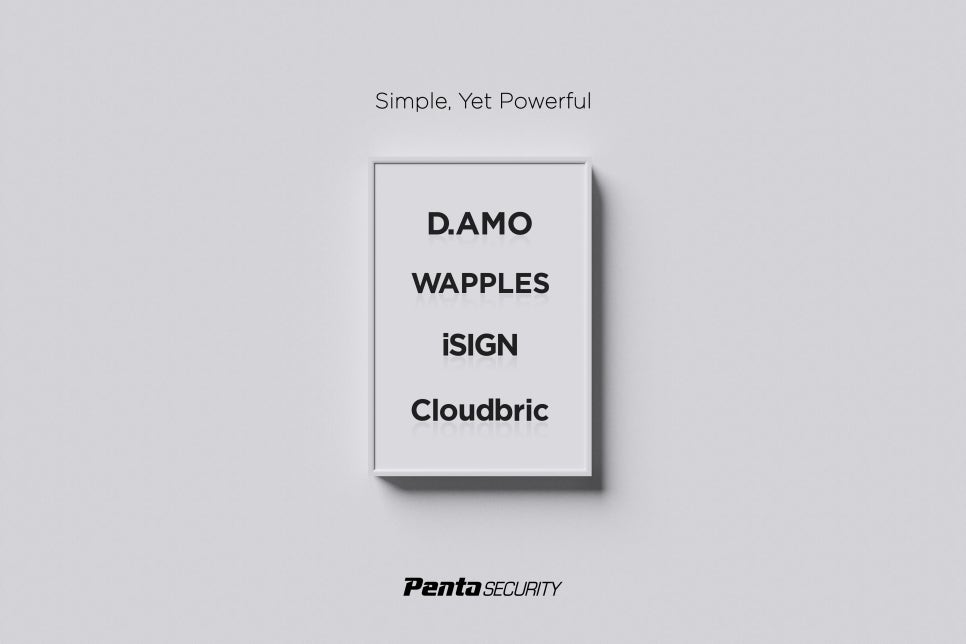
The company offers a wide range of cybersecurity products and services, including the optimized encryption framework D.AMO, the intelligent WAAP solution WAPPLES, and the cloud security SaaS platform Cloudbric. These products have established Penta Security as a leading player in the Asia-Pacific cybersecurity market across multiple sectors.
Penta Security has undertaken a reorganization of its product BI.
Celebrating its 20th anniversary this year, D.AMO is an optimized encryption framework that provides comprehensive security for all layers of IT systems across diverse environments. It offers integrated data security features such as key management, access control, auditing, and monitoring, ensuring end-to-end data protection.
WAPPLES is an intelligent WAAP (Web Application and API Protection) solution that goes beyond traditional web application firewalls. It provides API security, bot mitigation, and DoS defense capabilities. Powered by its proprietary intelligent detection engine COCEP, WAPPLES achieves a false-positive rate of under 4%, ensuring high precision in detecting web attacks.
Cloudbric is the first SaaS-type security platform in Korea and is a leading brand in the SaaS-type security platform industry. From IoT & End Point security to enterprise web security, we provide services safeguarding all entities requiring an Internet connection. As a SaaS-based solution, Cloudbric provides top-tier security services online without the need for hardware installation, offering unparalleled convenience and scalability.
Through this brand identity revamp, Penta Security has unified its product logos and branding, which previously lacked a consistent look due to the staggered release of products since the company’s start in 1997. The new, streamlined designs reflect a modern style, presenting a brand image of “youth and professionalism”. This refreshed identity reflects the company’s core philosophy: all solutions align under a single vision and goal. The unified brand identity is expected to enhance Penta Security’s competitiveness, foster innovation, and support its expansion into global markets.
Looking ahead, Penta Security is committed to creating an open world where information can be freely shared and communicated. Stay tuned as Penta Security continues its journey to becoming a global leader in cybersecurity. Thank you for your continued interest and support.
About Penta Security
Penta Security takes a holistic approach to cover all the bases for information security. The company has worked and is constantly working to ensure the safety of its customers behind the scenes through the wide range of IT-security offerings. As a result, with its headquarters in Korea, the company has expanded globally as a market share leader in the Asia-Pacific region.
As one of the first to make headway into information security in Korea, Penta Security has developed a wide range of fundamental technologies. Linking science, engineering, and management together to expand our technological capacity, we then make our critical decisions from a technological standpoint.
About Version 2 Limited Version 2 Digital is one of the most dynamic IT companies in Asia. The company distributes a wide range of IT products across various areas including cyber security, cloud, data protection, end points, infrastructures, system monitoring, storage, networking, business productivity and communication products.
Through an extensive network of channels, point of sales, resellers, and partnership companies, Version 2 offers quality products and services which are highly acclaimed in the market. Its customers cover a wide spectrum which include Global 1000 enterprises, regional listed companies, different vertical industries, public utilities, Government, a vast number of successful SMEs, and consumers in various Asian cities.
The rise of remote and hybrid work has fundamentally changed how organizations deliver applications. Secure, reliable, and cost-effective access is no longer optional. Amazon AppStream 2.0 has become a popular choice, offering managed application streaming within the AWS ecosystem. However, for organizations heavily invested in managing their own AWS EC2 infrastructure, AppStream 2.0’s managed nature, complex pricing (including mandatory Windows user fees), and lack of direct EC2 control can be restrictive and costly.
If you’re finding AppStream 2.0 inflexible or expensive for your EC2-centric environment, it’s time to explore alternatives. Thinfinity Workspace, coupled with Thinfinity Cloud Manager, presents a compelling solution designed specifically to leverage your existing EC2 investments while offering enhanced control, significant cost savings potential, a robust Zero Trust security posture, and multi-cloud flexibility.
The Challenge: AppStream 2.0 Constraints for EC2 Users
While AppStream 2.0 simplifies some aspects by managing the underlying infrastructure, this abstraction creates challenges for organizations proficient with EC2:
Complex & Potentially High Costs: AppStream’s cost involves more than just the compute time. The service layers specific AWS fees on top, such as charges for stopped On-Demand instances awaiting users and costs for Image Builder usage. While the exact percentage of this AWS-specific overhead compared to running directly on EC2 varies significantly depending on your configuration and usage patterns, these additional charges can represent a notable portion of the total AWS bill, particularly in scenarios with frequent image updates or significant idle time for On-Demand fleets. This contrasts with deploying directly on EC2, where you avoid these AppStream-specific fees and have more direct control over resource cost optimization.
Limited Infrastructure Control: As a fully managed service, you have limited direct control over the underlying OS, patching, and configuration, hindering fine-tuning and integration with existing management tools.
EC2 Inefficiency: AppStream 2.0 requires its own managed instance fleets. You cannot directly apply your existing EC2 optimizations (like Reserved Instances, Savings Plans, Spot Instances) or leverage your team’s EC2 management expertise on AppStream fleets, leading to potential duplication of costs and effort.
AWS Lock-in: Deep integration with AWS services makes transitioning to multi-cloud or hybrid environments more complex.
Introducing Thinfinity: Application Delivery on Your Terms
Thinfinity takes a different approach, empowering organizations to deliver applications securely from infrastructure they manage, including their existing AWS EC2 instances.
Thinfinity Workspace: Secure, Clientless Access
Browser-Based Delivery: Provides access to Windows apps (RemoteApp), full desktops (RDP/VNC), SSH sessions, internal web apps, and file shares directly through any standard HTML5 browser.
100% Clientless: No plugins, extensions, or client software needed on end-user devices, simplifying deployment and BYOD.
Zero Trust Security: Built on a reverse web gateway model. Agents on your EC2 instances initiate outbound connections to a central gateway. Users connect only to the gateway (HTTPS/443). This eliminates open inbound ports (like RDP 3389), drastically reducing the attack surface.
Comprehensive Security Features: Integrates native MFA, extensive IdP support (SAML 2.0, OAuth 2.0 for Azure AD/Entra ID, Okta, etc.), granular RBAC, end-to-end TLS 1.3 encryption, and detailed audit logging.
Thinfinity Cloud Manager: Orchestrating & Optimizing Your EC2 Infrastructure
Specifically designed to complement Workspace, Cloud Manager simplifies managing the EC2 (or other cloud/hypervisor) infrastructure for application delivery:
Purpose-Built for EC2: Directly manages the lifecycle of EC2 instances used for Thinfinity deployments.
Infrastructure as Code (IaC) Simplified: Integrates with Terraform via pre-built templates and an abstraction layer, enabling automated, consistent EC2 deployments without deep Terraform expertise.
Intelligent Autoscaling: Dynamically adjusts the number of active EC2 instances based on user sessions or resource utilization, ensuring performance while minimizing costs.
Power Scheduling: Automatically starts/stops EC2 instances based on time schedules (e.g., nights, weekends), directly reducing compute costs.
Smart VM Pooling: Offers ‘Depth-First’ pooling to consolidate users onto fewer instances, maximizing utilization and cost-efficiency with autoscaling.
Leverage EC2 Economics: Allows you to potentially combine its automation with AWS purchasing options like RIs, Savings Plans, and possibly Spot Instances for maximum TCO reduction.
Thinfinity vs. AppStream 2.0: Key Advantages on EC2
For EC2-centric organizations, the Thinfinity suite offers significant advantages over AppStream 2.0:
Feature
Amazon AppStream 2.0
Thinfinity Workspace + Cloud Manager
Core Infrastructure
Managed AWS Service (Abstracted Fleets)
User-Managed (Your EC2 Instances, other VMs)
EC2 Integration
Indirect; Runs on AWS, but limited leverage of your EC2
Native Deployment & Orchestration directly on your optimized EC2
Cost Optimization
AWS Fleet Types/Scaling; AWS Cost Tools
Cloud Manager (Autoscaling, Scheduling, Pooling on your EC2) + Native EC2 options
Security Model
AWS Ecosystem Reliance (IAM, VPC, SG)
Native Zero Trust Architecture (Reverse Gateway, Clientless)
Deployment
AWS Only
Multi-Cloud including AWS, Azure, GCP, and Oracle Cloud, Hybrid, On-Premises
Lower & Predictable TCO: Avoid the mandatory AppStream RDS SAL user fees. Leverage your existing EC2 purchasing strategies (RIs, Savings Plans) and optimize usage directly with Cloud Manager’s autoscaling and scheduling.
Regain Control: Manage the underlying EC2 instances, OS, patching, and security hardening according to your standards.
Enhanced Security: Implement an intrinsic Zero Trust model with the reverse gateway, reducing your network attack surface without complex firewall rules.
Ultimate Flexibility: Deploy on AWS EC2, other clouds, or on-premises. Avoid vendor lock-in and align with your hybrid/multi-cloud strategy.
Simplified EC2 Management: Cloud Manager provides tailored automation for application delivery workloads on EC2, bridging the gap between raw EC2 flexibility and managed service simplicity.
Best Practices for Thinfinity on AWS EC2
To maximize benefits, follow these best practices:
Plan Architecture: Integrate Thinfinity components (Gateway, Broker, Agents) within your existing VPCs and subnets. Choose appropriate EC2 instance types based on workload. Use IAM roles with least privilege for Cloud Manager integration.
Configure Cloud Manager: Define smart autoscaling policies based on sessions or utilization. Implement power schedules for non-24/7 workloads. Choose the optimal pooling strategy (Depth-First often best for cost).
Layer Security: Combine Thinfinity’s Zero Trust features (reverse gateway, MFA, RBAC, IdP integration) with AWS security services (Security Groups restricting traffic, AWS WAF in front of the Gateway, CloudTrail/CloudWatch monitoring, AWS Systems Manager for patching, Inspector for vulnerability scanning, KMS for EBS encryption).
Monitor & Log: Centralize Thinfinity logs and AWS logs (CloudTrail, VPC Flow Logs) into your SIEM for comprehensive visibility.
Conclusion: Take Control of Application Delivery on EC2
Amazon AppStream 2.0 is a capable service, but its managed nature, complex cost structure, and AWS exclusivity can be significant drawbacks for organizations deeply invested in AWS EC2.
Thinfinity Workspace and Thinfinity Cloud Manager offer a powerful, strategic alternative. By enabling secure, clientless application delivery directly from your managed EC2 infrastructure, Thinfinity provides a path to:
Significant TCO reduction by eliminating user fees and leveraging optimized EC2 resources.
Full infrastructure control aligning with your operational expertise.
A robust, built-in Zero Trust security posture.
Deployment flexibility across multi-cloud and hybrid environments.
Simplified EC2 orchestration tailored for application delivery via Cloud Manager.
If you’re seeking greater control, predictable costs, enhanced security, and flexibility for your application delivery on AWS EC2, it’s time to evaluate Thinfinity.
Recommendation: Conduct a Proof of Concept (PoC) using Thinfinity’s free trial. Perform a detailed TCO analysis comparing Thinfinity on optimized EC2 (including license costs) against your projected AppStream 2.0 spend (including all fees). Assess how Thinfinity’s Zero Trust model and Cloud Manager’s automation fit your operational and security requirements.
Take the step beyond AppStream 2.0 and unlock the full potential of your AWS EC2 investment for secure and efficient application delivery with Thinfinity.
About Cybele Software Inc. We help organizations extend the life and value of their software. Whether they are looking to improve and empower remote work or turn their business-critical legacy apps into modern SaaS, our software enables customers to focus on what’s most important: expanding and evolving their business.
About Version 2 Limited Version 2 Digital is one of the most dynamic IT companies in Asia. The company distributes a wide range of IT products across various areas including cyber security, cloud, data protection, end points, infrastructures, system monitoring, storage, networking, business productivity and communication products.
Through an extensive network of channels, point of sales, resellers, and partnership companies, Version 2 offers quality products and services which are highly acclaimed in the market. Its customers cover a wide spectrum which include Global 1000 enterprises, regional listed companies, different vertical industries, public utilities, Government, a vast number of successful SMEs, and consumers in various Asian cities.
Security teams face a tough challenge: strengthening authentication without making it harder to use. Passwords create two problems at once—they’re security weak points and they frustrate users with complex rules and too many credentials to remember.
Passwordless authentication addresses both problems by removing passwords completely. Instead, it uses stronger methods like cryptography, biometrics, and device verification that also improve the user experience.
In this guide, we’ll walk through how to eliminate passwords and strengthen authentication with passwordless methods, practical implementation strategies, integration approaches, and real-world deployment insights.
What is Passwordless Authentication and Why Does It Matter?
Passwordless authentication replaces traditional passwords with more secure methods like fingerprints, security keys, or device-based tokens.
This shift matters because, according to the Verizon Data Breach Investigations Report (DBIR), 81% of hacking-related breaches involve stolen or weak passwords.
Unlike passwords (which are shared secrets), passwordless systems use cryptographic techniques that attackers can’t easily compromise.
This model has gained significant momentum—Microsoft, Google, and Apple have all committed to passwordless standards, signaling a long-term move away from passwords.
The Problem with Traditional Password-Based Authentication
Even security-conscious organizations struggle with password-based systems. Users must juggle dozens of unique passwords across work and personal accounts. That burden leads to predictable issues:
They tend to choose simple, easily guessed passwords
They store passwords in insecure locations
They often delay changing passwords—even after a known breach
Attackers are well aware of these habits. They use credential stuffing to test leaked credentials across services, or phishing to trick users into giving up passwords. Social engineering is another fallback, targeting human behavior over technical barriers.
IT teams face significant overhead. According to Gartner, password resets account for 20–50% of help desk calls. Worse still, stolen credentials allow attackers to blend in as authenticated users.
The root problem lies in the shared secret model. Since both parties must know the same information to authenticate, that secret can be stolen, guessed, or intercepted. As attacks become more advanced, traditional countermeasures like password complexity rules and scheduled resets no longer keep pace.
Evolution of Modern Authentication Methods
Core Principles of Passwordless Security
Passwordless security works by replacing shared secrets with modern cryptographic methods. Its foundation rests on several key principles:
No Shared Secrets: The private key remains on the user’s device while the server stores a public key. Since the private key never leaves the device, it’s not exposed to theft via breaches.
Device-Tied Authentication: Authentication is linked to hardware or biometrics, creating a stronger defense against remote attacks.
Built-in Multi-Factor Authentication: Most passwordless methods combine factors (something you have, something you are) into a single step, improving security without increasing effort.
Phishing Resistance: Authentication requests are cryptographically validated to prevent users from authorizing fake or malicious sites.
Passwordless Authentication Technologies
Passwordless authentication isn’t one technology—it’s an umbrella term for multiple approaches that remove the need for passwords.
These typically fall into two primary categories—possession-based and biometric authentication. A third category, often transitional, involves one-time authentication mechanisms that help bridge legacy systems to passwordless workflows.
Possession-Based Authentication Methods
This method relies on something the user physically has—typically a hardware device or mobile phone. Hardware security keys (e.g., those based on FIDO2 and WebAuthn standards) create cryptographic signatures that verify identity at login.
By removing shared secrets and using public-key cryptography, hardware keys defend against phishing, password reuse, and brute-force attacks. Mobile-based approaches like push notifications also confirm possession of a trusted device during login.
Deploying these methods requires integration with identity providers and planning for distribution, replacement, or deactivation of devices. Most organizations roll them out in phases, starting with higher-risk user groups.
Biometric Authentication Systems
Biometric methods validate users based on physical traits such as fingerprints, facial recognition, or (in some cases) iris or voice. Adoption has grown with the rise of smartphone sensors and facial recognition tools.
Security questions arise around how and where this biometric data is stored. Most modern devices use trusted hardware modules to store templates locally, preventing transmission of sensitive data to external servers. This approach helps safeguard user data. Privacy policies and testing protocols are essential, since biometric data—once compromised—can’t be changed like a password.
Transitional Methods: One-Time Authentication
One-time authentication methods provide temporary credentials using short-lived tokens, QR codes, or app-based approvals. These are not purely passwordless in every scenario, as many still rely on shared secrets (e.g., OTPs), but they serve an important transitional role.
OTP vs. Passwordless: One-time passwords (OTPs) are a type of one-time authentication, but they still depend on temporary codes that can be intercepted or phished. Passwordless methods, in contrast, eliminate these codes altogether. While OTP can act as a useful fallback or bridge during migration, it is not considered a fully passwordless solution.
These transitional methods illustrate the broader shift toward more user-friendly, context-aware authentication that doesn’t rely on static credentials.
Benefits of Passwordless Authentication
When organizations remove passwords from the login equation, they gain more than just convenience.
Passwordless authentication empowers enterprises to protect their infrastructure at a deeper level, defend user identities from modern threats, and reinforce trust across every digital interaction.
Stronger Security and Phishing Resistance
Passwords rely on secrets that can be stolen or guessed. Passwordless methods, like biometrics and security keys, remove that risk entirely. Biometrics (like fingerprints) are nearly impossible to replicate remotely, and hardware keys (e.g., YubiKeys) verify logins cryptographically, blocking phishing attempts before they start.
Without passwords, there’s no shared secret for attackers to target. This significantly reduces the likelihood of credential-based breaches and impersonation attempts.
Improved User Experience and Productivity
Relying on passwords adds friction. Users must remember credentials, change them frequently, and follow rules that often lead to weak or reused passwords.
Passwordless workflows remove these obstacles by reducing the login process to a quick biometric check or hardware token tap.
Employees, partners, and customers enjoy faster, more intuitive access. That improved experience translates into higher productivity and greater confidence in security systems. IT teams also benefit, as help desk requests drop and staff can shift attention to higher-priority projects.
Operational Efficiency and Lower Support Costs
Password management carries a cost—both in time and resources. Password resets alone can dominate support ticket volumes, draining productivity and increasing administrative workload.
Passwordless systems reduce this burden. With fewer credential-related issues, support costs decrease and teams can refocus on strategic objectives.
Additionally, passwordless authentication simplifies compliance audits by providing clearer audit trails and centralized authentication records, helping teams stay aligned with security requirements and frameworks.
Challenges in Passwordless Adoption
Moving to passwordless authentication offers clear security and usability advantages, yet organizations must address specific hurdles to protect identities effectively. Adopting modern methods requires foresight, preparation, and adaptability to new risks.
Below are four major considerations CISOs, IT managers, and security architects often encounter when shifting to a passwordless model.
How Complex is the Implementation Process?
Implementing passwordless authentication can introduce several complexities:
A mix of modern and legacy systems with varying capabilities
Integration requirements with existing identity infrastructure
Dependencies on specific hardware or software
Migration planning from password-based to passwordless workflows
The degree of difficulty depends on the organization’s scale and technology stack. Cloud-native companies often have fewer roadblocks, while organizations with older, on-premises infrastructure face greater challenges.
Many successful deployments follow a phased approach—starting with a small group of users or a specific application, gathering feedback, and gradually expanding.
How Should You Plan for Device Dependency and Availability?
Tying authentication to a specific device—such as a hardware token or smartphone—means planning for inevitable disruptions. Devices can be lost, stolen, damaged, or temporarily unavailable.
To address this, organizations must offer fallback mechanisms and account recovery options. These may include:
Issuing multiple hardware tokens per user
Providing temporary or time-limited credentials
Allowing secondary biometric methods for access
By preparing for exceptions, organizations can maintain business continuity without compromising identity security.
What Privacy Considerations Come with Biometric Data?
Biometric solutions eliminate the burden of password memorization and reset, but they introduce sensitive data management concerns.
Templates for fingerprint, face, or voice recognition must be stored and processed securely. The safest implementations store biometric data locally, using secure enclaves or trusted device modules to avoid transmitting raw data.
Privacy regulations like GDPR and CCPA require organizations to handle biometric data with particular care. Policies must also offer users opt-out choices or alternate authentication methods to maintain trust and regulatory compliance.
What Happens When Authentication Fails?
Even the most advanced systems occasionally fail—whether due to user error, device malfunction, or system disruptions.
A clear recovery plan is essential to minimize downtime and avoid lockouts. This includes:
Self-service recovery options
Backup authentication factors
Administrative override protocols
Resilience comes from balancing strong security with practical access recovery. When users know there’s a clear way to regain access, they’re more likely to embrace passwordless methods confidently.
Organizational Readiness Assessment
Before implementing passwordless solutions, every enterprise should evaluate its current security posture and operational maturity.
An effective assessment highlights the necessary steps to protect user identities, support critical operations, and maintain trust during this shift.
Below are three key areas to examine when measuring organizational readiness:
Evaluation Framework for Passwordless Readiness
A readiness assessment should examine key areas:
Current Authentication Landscape: Review existing authentication tools, common user pain points, and areas where password-related issues are most frequent.
Application and Service Inventory: Identify all systems requiring authentication. Document which applications support protocols like SAML, OIDC, or FIDO2 and which will need updates or workarounds.
User Population Analysis: Understand the needs of different user groups. Make sure users have access to compatible hardware and address any accessibility or device constraints.
Security Risk Assessment: Determine where authentication-related risks are highest. Prioritize accounts with the most sensitive access or greatest exposure to external threats.
This assessment provides a roadmap for targeting high-impact, low-friction opportunities to begin the transition.
Critical Infrastructure Requirements
Passwordless authentication depends on compatibility with identity and access management (IAM) systems, endpoint controls, and centralized monitoring platforms.
Organizations should evaluate whether their current systems can support modern authentication protocols—or if upgrades are needed.
For example, legacy directories may require middleware or gateway tools to handle biometric inputs or public-key credentials. Assessing infrastructure capacity also helps verify whether systems can handle cryptographic processes at scale.
Resolving these technical issues in advance helps avoid delays during deployment.
User Preparation and Change Management
Successful adoption requires communication and support.
Users need to understand why passwordless authentication is being introduced, how it protects their accounts, and how to complete setup. Education efforts should emphasize practical benefits—such as faster logins, better protection, and fewer interruptions.
Training materials, pilot programs, and gradual rollouts help users become comfortable with new tools. By engaging users early and incorporating their feedback, organizations increase adoption and reduce friction.
Step-by-Step Implementation Guide
Strategic Planning for Passwordless Deployment
Any successful rollout begins with clear objectives and measurable outcomes. Establish a dedicated steering committee or task force comprising security architects, IT managers, and compliance officers who will shape the initiative. This core group should:
Define Scope and Goals Identify which departments, user groups, or applications will transition first. Consider starting with a pilot for high-risk or tech-savvy teams to gather early feedback.
Align Stakeholders Make sure that executive leadership, end-users, and support teams understand the rationale for passwordless adoption. Highlight the benefits—such as reduced credential risks and improved user experience—to gain support.
Set Success Metrics and Timelines Determine key performance indicators (KPIs), such as a reduction in password-related support tickets, decreased phishing incidents, or lowered breach risk. Establish milestones that track technical progress, user enrollment rates, and overall security posture improvements.
By focusing on alignment and measurable targets, organizations can create a structured foundation that defends against shifting project priorities and supports long-term commitment to a passwordless strategy.
Technical Implementation Process
The technical phase transforms strategic planning into tangible solutions. While each enterprise will have unique requirements, several core considerations apply:
Choose Your Authentication Standard Evaluate popular protocols like FIDO2/WebAuthn for hardware tokens or device-based biometrics. Make sure your identity and access management (IAM) system is compatible and capable of supporting cryptographic key exchanges.
Update Identity Infrastructure Assess whether your directory services (e.g., Active Directory, LDAP) and single sign-on (SSO) platforms require patches or enhancements. Some older systems may need additional layers or modules to support certificate-based or biometric authentication methods.
Provision Devices and Credentials Decide how users will obtain hardware keys, enroll biometrics, or receive transitional tools such as app-based approval notifications. Plan a phased rollout to control demand on the IT help desk. Define procedures for lost, stolen, or broken devices.
Deploy Supporting Services Integrate logging and monitoring solutions that track authentication events, policy enforcement, and potential anomalies. Centralized analytics help security teams respond quickly to threats or unauthorized attempts.
Prioritizing compatibility, device provisioning, and visibility helps make the passwordless infrastructure stable and effective.
Testing and Validation Methodologies
Comprehensive testing is essential to maintain user trust, detect technical issues early, and validate security controls:
User Acceptance Testing (UAT) Conduct a small-scale pilot with select teams or departments. Collect feedback on device enrollment, biometric accuracy, and overall ease of use. This feedback loop helps refine training materials and fine-tune configurations.
Security Audits and Penetration Testing Enlist internal or external security teams to probe the new passwordless environment. Confirm that cryptographic protocols are properly implemented, no fallback vulnerabilities exist, and that user recovery flows are secure.
Staged Rollouts and Continuous Monitoring Implement passwordless access in waves, starting with departments most likely to adopt new technology readily. Continuously monitor key metrics—such as login success rates and help desk tickets—to measure progress. Adjust policies or enrollment procedures as needed based on real-world data.
By prioritizing structured planning, ensuring technical compatibility, and rigorously testing before and after deployment, enterprises can transition to passwordless authentication with confidence. This step-by-step approach not only protects digital identities but also supports trust among users and stakeholders.
Integration with Existing Security Infrastructure
How Does Passwordless Authentication Complement SSO?
For organizations already using Single Sign-On (SSO), adding passwordless authentication might seem like an extra step. In reality, it’s the missing piece that strengthens both security and usability.
SSO is designed to simplify access by allowing users to authenticate once and gain entry to multiple applications. However, traditional SSO often relies on a single password for that initial login—creating a potential security gap. If that password is compromised, an attacker could gain access to an entire suite of business tools.
This is where passwordless authentication fits in. By replacing passwords with more secure methods like biometrics, hardware security keys, or app-based approvals, organizations remove one of the most vulnerable entry points. It reduces the risks associated with phishing, credential stuffing, and brute-force attacks while maintaining the convenience of SSO.
Passwordless in Zero Trust Architecture
Zero Trust security models operate on a simple principle: never trust, always verify. Traditional authentication methods, especially passwords, contradict this approach. They’re static, vulnerable to phishing and credential stuffing, and often the weakest link in cybersecurity.
Passwordless authentication removes these risks by replacing passwords with stronger, phishing-resistant methods like biometrics, hardware security keys, and cryptographic authentication. These methods verify identity based on who the user is (biometrics) or what they have (security keys), rather than something they know—eliminating a common attack path.
In a Zero Trust environment, where authentication is continuous and context-aware, passwordless authentication supports security without adding friction. Instead of requiring complex passwords and frequent multi-factor prompts, organizations can offer fast, secure access backed by strong verification.
PAM and Passwordless: Creating a Unified Security Strategy
Privileged access management (PAM) is typically reserved for administrators or high-level users who hold the “keys to the kingdom.”
Because these accounts pose an elevated risk, passwordless adoption is particularly impactful:
Hardening High-Risk Accounts: Removing passwords from privileged accounts—often a prime target for attackers—closes a major vulnerability. Token- or biometric-based verification replaces weak or shared credentials, securing each privileged session with cryptographic proof of identity.
Streamlined Oversight and Compliance: PAM solutions configured for passwordless can record secure, verifiable logs for every administrative action. Auditors gain near real-time insight into who accessed which resources, supporting compliance and aligning with established security frameworks.
By integrating passwordless authentication into SSO portals, Zero Trust frameworks, and PAM deployments, enterprises build a stronger identity foundation that adapts to growing threats and organizational needs.
Real-World Implementation Success Stories
Accenture moves 799,000 employees to passwordless authentication
By partnering with Microsoft in 2019, they introduced Windows Hello for Business, the Microsoft Authenticator app, and FIDO2 tokens, complemented by a Temporary Access Passcode (TAP) for secure onboarding.
This device-level authentication model replaced traditional passwords and helped reduce phishing risk while minimizing login friction.
Results have been significant:
70% of Windows device sign-ins occur via passwordless methods
535,000 users enabled for Windows Hello for Business
25.4 million Azure AD authentications daily
16,500+ active passwordless applications
Accenture’s success demonstrates that careful planning, phased rollout, and dedicated user education can transform password-heavy ecosystems into strong, scalable passwordless environments.
Intuit deploys FIDO-based authentication for 100 million customers
Intuit – the global financial technology platform behind TurboTax, QuickBooks, Mailchimp, and other solutions – undertook a multi-year FIDO-based authentication rollout starting in 2018 to reduce friction for over 100 million customers.
By integrating Nok Nok’s S3 Authentication Suite, Intuit enabled passwordless MFA across its mobile apps, onboarding flows, and diverse product offerings.
70% faster sign-in speeds for users opting into passwordless methods
Consistent, device-based biometric authentication across platforms
With FIDO’s asymmetric cryptography, Intuit removed password exchanges during transit, improving security while streamlining the login experience.
Over time, the company has increased adoption, improved user satisfaction, and reduced support costs associated with failed authentications.
Today, Intuit continues to explore multi-device passkey technology as the next step on its passwordless roadmap, showing how a modern approach to authentication can scale globally—even for demanding, high-volume financial services.
Security Analysis: Passwordless vs. Traditional MFA
Moving to passwordless authentication can feel like a leap—especially for organizations already invested in multi-factor authentication (MFA) solutions.
Yet the differences between MFA (often reliant on passwords plus a second factor) and a truly passwordless approach reveal why forward-thinking enterprises are accelerating adoption.
Attack Vector Reduction and Threat Mitigation
Traditional MFA, while more secure than passwords alone, still includes some form of shared secret that attackers can target. Whether it’s an SMS code intercepted through SIM swapping or a user password phished via social engineering, there is usually a static element that can be exploited.
In contrast, passwordless authentication avoids these risks by eliminating passwords entirely. Hardware keys, device biometrics, or cryptographic authentication methods reduce the risk of credential-based intrusions because there’s no reusable credential to compromise.
This reduced attack surface helps protect identities across varied environments—from on-premises systems to cloud infrastructure.
Credential Theft Prevention Capabilities
Passwords remain the most common target in data breaches. Even strong MFA setups can be bypassed if attackers obtain the user’s initial password.
Passwordless methods break this pattern by using cryptographic signatures and device-bound credentials that cannot be guessed, copied, or reused.
Instead of relying on what users know, systems verify who they are or what they physically control—making credential theft much more difficult.
Identifying and Addressing Security Limitations
No system is foolproof, and passwordless approaches require careful planning to avoid gaps. Lost hardware tokens, biometric mismatches, or incomplete device enrollment can lead to temporary access issues.
Organizations must provide fallback options and clearly defined support processes.
These include:
Secure recovery portals
Secondary authentication methods
Verification and approval procedures for unusual access attempts
Planning for these scenarios helps maintain availability without sacrificing security. Passwordless can deliver long-term value, but only with ongoing monitoring, testing, and user education.
Future of Passwordless Authentication
Passwordless solutions are poised to become the new standard for identity and access management.
Emerging technologies, shifting regulations, and advancing threats like quantum computing all point toward a future where organizations must adopt modern authentication strategies to stay protected.
Emerging Standards and Technologies
Standards like FIDO2 and WebAuthn already guide how companies integrate passwordless methods into their systems.
Biometrics continue to advance—from facial recognition and fingerprint sensors to behavioral analysis and palm vein scanning. Vendors are also refining hardware tokens to meet unique industry demands, such as compliance-heavy or high-risk environments.
These innovations allow organizations to support more users and authentication scenarios while keeping systems secure.
Industry Adoption Trends and Forecasts
Passwordless adoption is accelerating across sectors—from finance and healthcare to manufacturing and education.
As organizations work to simplify authentication, prevent breaches, and comply with growing regulations, passwordless technologies are becoming a core part of access strategies.
This growth also reflects increased investment in identity platforms and Zero Trust initiatives, signaling that passwords may soon be phased out as a mainstream security tool.
Passwordless in Post-Quantum Security Environments
Quantum computing presents a future challenge to many encryption methods used today.
While quantum threats are still theoretical, researchers are developing quantum-safe cryptography to defend long-term identity and access controls.
Passwordless solutions that rely on public key cryptography are expected to evolve in tandem with these new standards. Organizations that adopt passwordless now are better positioned to adapt to future cryptographic models when needed.
Building Your Passwordless Strategy
Implementing passwordless authentication is not just a technical upgrade—it’s a strategic change that reshapes how your organization defends digital identities, secures infrastructure, and builds trust.
Key Implementation Success Factors
Executive Sponsorship: Get leadership support to align priorities, secure budgets, and integrate passwordless into broader security initiatives.
Clear User Training and Support: Provide accessible instructions on device setup and recovery. Communicate how passwordless improves both security and user experience.
Ongoing Security Monitoring: Use centralized logs and analytics to identify issues quickly and adapt to new risks.
Scalability and Adaptability: Choose tools and vendors that support evolving standards, compliance requirements, and organizational growth.
Getting Started: Your First Passwordless Project
Organizations often begin with a pilot deployment, focusing on a high-value or security-critical department.
Here’s how your organization could start:
Identify a High-Value Target: Select an authentication scenario offering clear benefits with manageable complexity, such as VPN access, employee portal login, or email authentication.
Select Appropriate Technology: Choose passwordless methods aligned with your environment, such as platform biometrics, mobile authenticators, or hardware keys.
Define Project Scope: Clearly establish which users and applications will participate and set realistic timelines.
Build a Cross-Functional Team: Include security architects, IT operations, user experience specialists, support personnel, and communications staff.
Create an Implementation Plan: Develop a structured approach with infrastructure preparation, pilot testing, feedback collection, and phased rollout.
Establish Success Criteria: Define technical, user, operational, and security metrics to evaluate outcomes.
This approach allows teams to gather feedback and refine processes, demonstrate early wins, and build momentum for broader deployment.
Resources for Ongoing Education and Support
Sustaining a passwordless program means staying ahead of regulatory changes, security threats, and technology developments.
Here are a few resources to help:
Industry Groups and Alliances: Organizations like the FIDO Alliance and relevant security consortia publish regular updates on standards and best practices.
Online Forums and Conferences: Engage with technical communities and attend events where experts share real-world challenges, solutions, and insights.
Vendor Documentation and Professional Services: Partner with solution providers for in-depth training, guided deployments, and compliance-specific support.
Conclusion
The shift to passwordless authentication marks a major step forward for enterprise security—replacing the weaknesses of shared secrets with cryptographic verification and identity-based access.
As the barriers to implementation continue to fall and the benefits become clearer, organizations are no longer asking if they should adopt passwordless authentication—but when and how.
Want to go beyond passwordless and strengthen how your team manages access? Segura® offers a complete Privileged Access Management (PAM) solution with just-in-time access, session recording, and identity-based controls that help reduce risk and improve visibility.
About Segura® Segura® strive to ensure the sovereignty of companies over actions and privileged information. To this end, we work against data theft through traceability of administrator actions on networks, servers, databases and a multitude of devices. In addition, we pursue compliance with auditing requirements and the most demanding standards, including PCI DSS, Sarbanes-Oxley, ISO 27001 and HIPAA.
About Version 2 Limited Version 2 Digital is one of the most dynamic IT companies in Asia. The company distributes a wide range of IT products across various areas including cyber security, cloud, data protection, end points, infrastructures, system monitoring, storage, networking, business productivity and communication products.
Through an extensive network of channels, point of sales, resellers, and partnership companies, Version 2 offers quality products and services which are highly acclaimed in the market. Its customers cover a wide spectrum which include Global 1000 enterprises, regional listed companies, different vertical industries, public utilities, Government, a vast number of successful SMEs, and consumers in various Asian cities.
Penta Security, a leading cyber security company and provider of web application security in the Asia-Pacific region, has expanded the service region for Cloudbric Managed Rules for AWS WAF to two new regions this year.
Cloudbric Managed Rules for AWS WAF (CMR) is a managed rule groups service for AWS WAF. Managed rule groups offer a preset of security rules for users and are provided by AWS and Independent Software Vendors (ISVs). Penta Security currently offers six CMR products on the AWS Marketplace, which users can subscribe to and implement on AWS WAF. CMR is based on the core technologies of Penta Security’s proprietary Web Application and API Protection (WAAP) solution and has been validated by a third-party IT solutions comparative testing firm, The Tolly Group, for its top-tier detection rate.
Following AWS’s expansion to Calgary, Canada in December 2023 and Malaysia in December 2024, Penta Security promptly onboarded these new regions, aiming to help users with the challenge of creating their own security rules when using AWS WAF.
Taejoon Jung, Director of the Planning Division at Penta Security commented, “Defining and managing security rules can be a complex task for AWS WAF users if they do not have security expertise, and Cloudbric Managed Rules were specifically designed to address these challenges. By swiftly onboarding new AWS regions, we aim to foster a safer environment for AWS WAF users.”
To further address the challenges of managing and maintaining security, Penta Security has also recently launched Cloudbric WMS, a usage-based SaaS managed service for AWS WAF, now available for subscription on the AWS Marketplace.
About Penta Security
Penta Security takes a holistic approach to cover all the bases for information security. The company has worked and is constantly working to ensure the safety of its customers behind the scenes through the wide range of IT-security offerings. As a result, with its headquarters in Korea, the company has expanded globally as a market share leader in the Asia-Pacific region.
As one of the first to make headway into information security in Korea, Penta Security has developed a wide range of fundamental technologies. Linking science, engineering, and management together to expand our technological capacity, we then make our critical decisions from a technological standpoint.
About Version 2 Limited Version 2 Digital is one of the most dynamic IT companies in Asia. The company distributes a wide range of IT products across various areas including cyber security, cloud, data protection, end points, infrastructures, system monitoring, storage, networking, business productivity and communication products.
Through an extensive network of channels, point of sales, resellers, and partnership companies, Version 2 offers quality products and services which are highly acclaimed in the market. Its customers cover a wide spectrum which include Global 1000 enterprises, regional listed companies, different vertical industries, public utilities, Government, a vast number of successful SMEs, and consumers in various Asian cities.
As an MSP, you know the importance of having the right tools to manage your clients’ IT infrastructure efficiently and effectively. With so many Remote Monitoring and Management (RMM) solutions available, it can be challenging to determine which one best fits your needs.
In this article, we’ll discuss some of the top RMM tools for MSPs, focusing on their key features, benefits, and how they can help you streamline your IT management processes.
We’ll also discuss the crucial role of cybersecurity in RMM and how integrating security solutions can help you deliver more robust protection to your clients. Keep reading to find the best RMM solutions for MSPs to easily manage and monitor clients remotely.
Key Takeaways
RMM tools are essential for MSPs to efficiently monitor, manage, and secure client IT environments while automating routine maintenance tasks.
Automation and scripting capabilities help MSPs reduce manual workloads, streamline patch management, and improve response times for IT issues.
Security integrations in RMM platforms enhance cybersecurity by providing real-time threat detection, ransomware protection, and automated patch deployment.
Pricing models vary, with some RMMs charging per technician while others charge per device, making it important to choose one that aligns with an MSP’s budget and business structure.
Cloud-based RMMs offer scalability and remote accessibility, allowing MSPs to manage endpoints from anywhere without needing on-premise infrastructure.
Integrations with PSA tools, remote access solutions, and cloud security platforms improve workflow efficiency, helping MSPs deliver higher-value services to clients.
NinjaOne
NinjaOne is a powerful remote monitoring and management (RMM) solution designed for managed service providers (MSPs) looking to automate IT operations, improve endpoint security, and streamline device management.
With an intuitive interface and robust automation tools, NinjaOne enables MSPs to monitor, patch, and secure client systems efficiently, reducing manual workloads and increasing operational efficiency. Let’s find out what it offers.
Key Features
NinjaOne offers a comprehensive set of features that support MSPs in managing client environments more effectively, such as the following:
1. Automated Patch Management
NinjaOne automates the patching process for Windows, macOS, and Linux systems, along with over 200 third-party applications. This feature helps MSPs ensure that client devices remain secure and up to date with minimal manual intervention.
2. Real-Time Monitoring and Alerts
The platform continuously monitors client endpoints and generates real-time alerts when issues arise. This allows MSPs to address potential problems proactively before they impact client operations.
3. Secure Remote Access
NinjaOne includes multiple remote access options, enabling MSPs to troubleshoot and manage endpoints without disrupting end users. The secure access ensures compliance with security standards while allowing for efficient issue resolution.
4. Endpoint Automation
With powerful scripting capabilities, MSPs can automate repetitive tasks such as software deployments, system cleanups, and device maintenance. This helps standardize IT processes and improve overall efficiency.
5. Self-Service End-User Portal
NinjaOne offers a self-service portal that allows end-users to perform specific tasks such as remote access, file restoration, and ticket management. This reduces technician workload while improving client experience.
Pros and Cons
NinjaOne has a great number of benefits, but also a few drawbacks that need to be addressed, as listed below.
Pros
Intuitive and easy-to-use interface with minimal learning curve
Strong automation capabilities for patching, remediation, and endpoint management
Secure and flexible remote access options
Scalable solution suitable for small and large MSPs
Self-service tools that enhance end-user independence
Cons
Pricing is not publicly listed, requiring direct contact for quotes
Limited integrations compared to some competitors
Some advanced automation features require scripting knowledge
Benefits for MSPs
NinjaOne offers significant advantages for MSPs looking to optimize IT service delivery. The platform’s automation tools drastically reduce manual tasks, allowing technicians to focus on higher-value activities.
Its real-time monitoring and alerting system ensures quick identification and resolution of issues, minimizing downtime for clients. The intuitive user interface enables teams to be productive with minimal training, making onboarding faster and easier.
Moreover, the platform’s scalability allows MSPs to manage thousands of endpoints seamlessly without performance bottlenecks. However, for advanced cybersecurity provision, combining with a UDR solution such as Guardz is called for.
Pricing
NinjaOne does not publicly disclose its pricing structure. Instead, it follows a flexible per-device pricing model that depends on the number of endpoints managed, bundled integrations, and specific MSP requirements. Prospective users must contact the sales team for a custom quote. The platform offers a free trial, allowing MSPs to evaluate its features before committing.
Atera
Atera is a cloud-based remote monitoring and management (RMM) solution designed for managed service providers (MSPs) looking to streamline IT management. With a single, all-in-one platform, Atera combines RMM, patch management, remote access, automation, and IT documentation to help MSPs operate efficiently while reducing overhead costs.
Let’s take a closer look at its core features.
Key Features
Atera offers a range of tools that help MSPs optimize IT service delivery. Below are some of its most notable features:
1. Real-Time Monitoring and Alerts
Atera provides continuous system monitoring with customizable alert thresholds. It tracks system resources, network activity, Active Directory status, SQL Server performance, and Windows updates, allowing MSPs to detect and resolve issues proactively.
2. IT Automation and Scripting
With Atera’s automation capabilities, MSPs can set IT automation profiles to handle repetitive tasks such as system maintenance, software updates, and device reboots. It also offers a shared script library with PowerShell and CMD-based scripts that can be executed remotely.
3. Patch Management
Atera automates patch deployment for Windows, macOS, and third-party applications. It integrates with Chocolatey and Homebrew, enabling seamless software updates and OS patching while allowing MSPs to schedule reboots and customize patch exclusions.
4. Integrated Remote Access
MSPs can remotely access client devices via Splashtop, AnyDesk, TeamViewer, and ConnectWise. This feature ensures secure and efficient troubleshooting without requiring end-user intervention.
5. Reporting and Analytics
Atera provides in-depth reports covering system health, agent performance, software inventory, and Microsoft licensing. These reports allow MSPs to track key IT metrics and demonstrate the value of their services to clients.
Pros and Cons
Atera has several advantages, but there are also some limitations to consider.
Pros
All-in-one RMM and PSA platform with remote access, ticketing, and automation
Intuitive and cloud-based, reducing the need for on-premise infrastructure
Flat-rate pricing per technician rather than per device, offering scalability
Customizable IT automation profiles for efficiency gains
Strong reporting and analytics tools for tracking IT performance
Cons
Limited third-party integrations compared to other RMM platforms
Remote access options require separate licensing for premium tools
Some advanced automation features require scripting knowledge
Benefits for MSPs
Atera is a cost-effective choice for MSPs looking for a unified IT management solution. Its cloud-based architecture eliminates the need for complex on-premise setups, allowing technicians to manage client systems from anywhere.
The automation tools significantly reduce manual intervention, enabling MSPs to focus on strategic growth. With a predictable pricing model, MSPs can scale their operations without worrying about fluctuating costs per endpoint.
The built-in reporting tools also help MSPs showcase their value to clients by providing clear insights into IT performance and security.
Pricing
Atera follows a per-technician pricing model with three main tiers:
Pro Plan: $129 per technician/month, including remote monitoring, patch management, ticketing, and automation.
Growth Plan: $179 per technician/month, adding advanced analytics, custom asset management, and extended support.
Power Plan: $209 per technician/month, offering custom analytics, dedicated customer support, and advanced network monitoring.
SuperOps
SuperOps is an AI-powered remote monitoring and management (RMM) solution designed for modern managed service providers (MSPs).
With a unified PSA-RMM platform, SuperOps integrates automation, endpoint security, and remote access into a single, scalable solution. Its intuitive design allows MSPs to streamline IT operations, improve service delivery, and enhance efficiency.
Let’s take a closer look at what it offers.
Key Features
SuperOps provides several tools that empower MSPs to optimize IT management. Here are some of its standout features:
1. Intelligent Alerting and Monitoring
SuperOps continuously monitors endpoints, generating AI-powered alerts for potential issues. The platform provides deep visibility into network activity, system performance, and security risks, enabling MSPs to proactively mitigate problems before they impact operations.
2. Automated Patch Management
With support for Windows, macOS, and Linux, SuperOps automates patch deployment to keep systems secure and compliant. It also includes advanced patching policies, ensuring MSPs can manage updates efficiently across multiple clients.
3. AI-Powered Service Desk
The integrated PSA features AI-driven ticketing, automated responses, and streamlined workflows. This enables MSPs to resolve issues faster while maintaining comprehensive IT documentation for future reference.
4. Remote Access and Troubleshooting
SuperOps integrates with Splashtop, TeamViewer, and ConnectWise Control to provide secure remote access. Technicians can remotely troubleshoot and resolve issues with minimal end-user disruption.
5. Asset and Policy Management
SuperOps enables MSPs to manage endpoints, track hardware and software assets, and implement policy-based automation. Custom policies help enforce security standards and optimize IT operations.
Pros and Cons
SuperOps has various advantages, but also some drawbacks to consider.
Pros
AI-powered automation improves efficiency and reduces manual tasks
Unified PSA-RMM platform eliminates the need for multiple tools
Modern and intuitive user interface simplifies IT management
Predictable pricing model with flexible endpoint scaling
Seamless integrations with third-party remote access tools
Cons
Some features, such as advanced reporting, are only available in higher-tier plans
Limited third-party integrations compared to competitors
AI-driven ticketing may require customization for optimal performance
Benefits for MSPs
SuperOps offers significant benefits for MSPs looking to scale their operations efficiently. Its AI-driven automation reduces technician workload, allowing teams to focus on high-value tasks. The unified PSA-RMM platform ensures simple IT management, eliminating the need for multiple software solutions.
With built-in patching, endpoint security, and remote access, MSPs can maintain a proactive IT environment. Furthermore, the modern UI and mobile accessibility make it easy for technicians to manage endpoints from anywhere, improving overall productivity. That said, the security provisions provided are not as comprehensive as with a UDR such as Guardz.
Pricing
SuperOps offers transparent, license-based pricing with flexible endpoint scaling:
Standard RMM Plan: $99 per technician/month, covering asset management, remote troubleshooting, and proactive monitoring.
Pro Plan (Unified Basic): $129 per technician/month, adding ticketing, invoicing, IT documentation, and reporting.
Super Plan (Unified Advanced): $159 per technician/month, including advanced automation, AI capabilities, custom analytics, and chat support.
Additional endpoint packs and network monitoring add-ons are available for enhanced scalability. SuperOps also provides discounted rates for MSP startups.
N-able N-central
N-able N-central is a remote monitoring and management (RMM) solution designed for managed service providers (MSPs) and IT teams managing complex networks.
It provides comprehensive monitoring, automation, security, and patch management tools to help MSPs streamline IT operations. With cloud and on-premise deployment options, N-central offers flexibility for businesses looking to enhance endpoint management and network security.
Let’s explore its core features.
Key Features
N-central delivers several robust features that enable MSPs to manage IT environments more effectively.
Here are some of its standout capabilities:
1. Advanced Network and Device Monitoring
N-central provides real-time visibility into IT environments, covering servers, workstations, and mobile devices across Windows, macOS, and Linux. It also offers automatic network discovery, topology mapping, and device monitoring for proactive IT management.
2. Intelligent Patch Management
The platform allows automated patching for Microsoft, Apple, and third-party applications. MSPs can schedule updates, enforce patch policies, and apply patches on-demand or on a set schedule with extensive reboot control.
3. Powerful Automation Tools
N-central includes over 650 pre-built automation scripts, a drag-and-drop automation manager, and AI-powered script generation. This helps MSPs reduce manual workloads and optimize IT service delivery.
4. Integrated Security Solutions
MSPs can enhance endpoint security with built-in tools like SentinelOne’s EDR, DNS filtering, and managed detection and response (MDR). These security layers help protect client environments from cyber threats.
5. Remote Access and Management
With N-central’s Take Control feature, technicians can securely access and troubleshoot devices remotely. The platform supports unattended remote access, live chat, file transfers, and command-line execution.
Pros and Cons
N-central has a range of benefits, but there are also some limitations to consider.
Pros
Scalable solution for managing large and complex IT environments
Flexible deployment options (cloud-based or on-premise)
Comprehensive security integrations with SentinelOne EDR and MDR
Advanced automation tools for improved efficiency
Detailed analytics and reporting for proactive IT management
Cons
Steeper learning curve compared to simpler RMM solutions
Some automation features require scripting knowledge
Pricing is not publicly listed, requiring direct consultation
Benefits for MSPs
N-central is particularly beneficial for MSPs handling enterprise-level IT infrastructure. The platform’s automation tools reduce technician workload, while its security features ensure a proactive defense against cyber threats.
The ability to manage mixed environments, including cloud, hybrid, and on-premise networks, makes it a versatile solution. Additionally, the detailed analytics and reporting capabilities provide insights that help MSPs optimize performance and improve service delivery.
Pricing
N-able does not publicly disclose pricing for N-central. Instead, it offers a flexible pricing model based on the number of managed devices and required features. MSPs must contact N-able’s sales team for a custom quote. The platform also provides a free trial, allowing users to evaluate its features before committing.
Datto RMM
Datto RMM is a cloud-based remote monitoring and management (RMM) platform designed for MSPs and IT professionals seeking a secure, scalable, and automation-driven solution.
With its strong focus on security, endpoint management, and Microsoft 365 integration, Datto RMM enables businesses to efficiently monitor and manage client networks while reducing costs and operational overhead.
Key Features
Here are just some of the key features of Datto RMM that make it stand out when compared to other RMM solutions:
Automated Patch Management
Datto RMM provides automated patch management for operating systems and third-party applications. This ensures that client endpoints stay updated and protected against vulnerabilities without requiring manual intervention.
Ransomware Detection
Built-in ransomware detection actively monitors for suspicious activity and alerts administrators before a threat escalates. This feature enhances cybersecurity by providing real-time responses to potential ransomware attacks, although employing Guardz UDR is recommended for more robust cybersecurity.
Microsoft 365 Management Module
Datto RMM offers a native Microsoft 365 management module, allowing MSPs to onboard, offboard, and manage M365 users from a centralized dashboard. This integration simplifies user account administration and security settings.
HTML5 Remote Control
The browser-based Web Remote feature provides seamless, one-click access to endpoints, enabling IT teams to troubleshoot issues without the need for additional software installations. Secure remote sessions include file transfers, live chat, and session recording.
Network Visibility and Topology Mapping
Datto RMM’s network topology maps provide a visual representation of client networks, helping MSPs identify issues quickly and optimize network performance. This feature aids in diagnosing and resolving connectivity problems efficiently.
Pros and Cons
As with all such solutions, there are both advantages and disadvantages to consider, as follows:
Pros
Cloud-based infrastructure with 99.99% uptime and no hardware maintenance required
Strong security framework, evaluated by the Building Security In Maturity Model (BSIMM)
Automated workflows for patch management and threat detection
Deep Microsoft 365 integration for streamlined user management
Scalable solution suitable for growing MSPs
Cons
Some advanced features require additional configuration and customization
Limited flexibility in integrating with non-Datto products
Pricing is not publicly disclosed, requiring direct contact for quotes
Benefits for MSPs
Datto RMM offers significant value for MSPs by reducing operational complexity through automation and remote management capabilities.
The platform’s built-in security features, such as ransomware detection and automated patching, ensure that endpoints remain secure while minimizing downtime. Furthermore, the integration with Microsoft 365 simplifies user and account management, improving service efficiency.
With a centralized dashboard and network visibility tools, MSPs can proactively monitor and manage client environments with greater accuracy and speed.
Pricing
Datto RMM does not publicly list its pricing, offering customized plans based on business size and service needs. The platform follows a per-endpoint pricing model, and prospective users must contact Datto’s sales team for a quote. MSPs can use a free trial to evaluate the platform’s capabilities before committing to a paid plan.
Before making a choice, let’s discuss the main features to pay attention to when choosing an RMM for your MSP.
Considerations for MSPs When Selecting an RMM Tool
Selecting the right remote monitoring and management (RMM) platform is crucial for managed service providers (MSPs) looking to optimize IT asset lifecycle management and cybersecurity.
A well-chosen RMM should align with business needs, support scalability, and integrate seamlessly with existing security and operational tools. Here’s how to choose the right RMM tool for your needs:
Core Features
MSPs should evaluate RMM platforms based on the following essential features:
Remote Monitoring and Alerts: The platform should provide real-time visibility into client endpoints, network devices, and IT infrastructure. Proactive alerting helps identify and address potential security threats before they escalate.
Patch Management: Automated patch deployment for operating systems and third-party applications ensures compliance with security standards and minimizes vulnerabilities.
Automation Capabilities: The ability to automate routine tasks, such as software updates, system cleanups, and security configurations, enhances efficiency and reduces manual workload.
Reporting and Analytics: Detailed reports and performance insights help MSPs assess system health, track compliance, and demonstrate value to clients.
Pricing and Cost Considerations
Pricing structures vary across RMM providers, and MSPs should assess costs in relation to value and functionality:
Per-Device vs. Per-Technician Pricing: Some platforms charge per endpoint, while others bill based on the number of technicians. Evaluating which model aligns with your service structure is essential.
Tiered Plans and Add-Ons: Additional features, integrations, or advanced automation may incur extra costs. Transparent pricing models, like Atera’s, can help MSPs manage expenses effectively.
Scalability and Cost Efficiency: Cloud-based RMMs, such as SuperOps and N-able N-central, scale efficiently as MSPs expand, preventing performance bottlenecks and unexpected costs.
Integration Capabilities
An effective RMM should integrate with key security and IT management solutions:
Security Tools: Seamless compatibility with endpoint protection, backup solutions, and DNS filtering strengthens cybersecurity defenses.
PSA Integration: Connecting with professional services automation (PSA) tools streamlines ticketing, invoicing, and client management.
Cloud and On-Premise Flexibility: Support for multi-cloud environments and hybrid infrastructures ensures comprehensive asset oversight.
Usability and Support
Beyond features and pricing, MSPs must consider usability and vendor support:
Ease of Use: A well-designed interface minimizes the learning curve and increases technician productivity. Platforms like NinjaOne prioritize intuitive navigation.
Customization: The ability to configure automation workflows, alerts, and reporting ensures the RMM adapts to client-specific needs.
Vendor Support: Access to training, documentation, and responsive technical support is essential for troubleshooting and optimizing platform usage.
Choosing the right RMM platform requires careful evaluation of these factors to ensure long-term efficiency, security, and service reliability.
How RMM Tools Strengthen Cybersecurity for MSPs and Clients
Remote monitoring and management (RMM) tools play a key role in cybersecurity by providing real-time threat detection, automated responses, and seamless integration with security solutions.
These capabilities help MSPs proactively protect client environments from cyber threats while streamlining security management.
Threat Detection and Incident Response
RMM platforms continuously monitor endpoints, networks, and systems for suspicious activity. By detecting anomalies, unauthorized access attempts, or malware, these tools allow MSPs to respond quickly before threats escalate.
Real-Time Monitoring: Tracks system activity to detect security risks as they emerge.
Automated Alerts: Sends instant notifications when potential threats are identified.
Incident Response Tools: Enables quick containment by isolating affected devices, terminating malicious processes, and applying security patches.
Integration with Endpoint Protection and Data Security
RMM tools enhance cybersecurity by integrating with other security solutions, providing layered protection across client environments:
Antivirus and Anti-Malware: Automates scanning, threat detection, and remediation to safeguard endpoints.
Data Encryption: Enforces encryption policies to secure sensitive information and prevent unauthorized access.
Backup and Disaster Recovery: Ensures automated backups and rapid restoration in case of data loss, ransomware attacks, or hardware failures.
The Growing Need for Cybersecurity-Driven RMM Solutions
As cyber threats evolve, MSPs require RMM platforms with built-in security measures to offer comprehensive protection, such as the following:
Vulnerability Management: Automated scanning and patching help mitigate security risks before they can be exploited.
Data Protection and Recovery: Built-in backup solutions ensure business continuity and minimize downtime after cyber incidents.
Platforms like Datto RMM, which integrate security and backup services, demonstrate the shift toward unified cybersecurity within RMM tools. To stay ahead, MSPs should prioritize solutions with AI-driven threat detection, automation, and comprehensive security management to enhance client protection and operational efficiency.
How Cybersecurity Solutions Strengthen RMM Platforms for MSPs
Integrating cybersecurity solutions with RMM tools enables MSPs to provide comprehensive IT management while securing client environments. These integrations enhance threat detection, incident response, compliance, and client trust.
Proactive Threat Prevention
Cybersecurity solutions integrated with RMM platforms help MSPs detect and block threats before they cause harm. Real-time monitoring, behavioral analysis, and machine learning identify anomalies, while endpoint protection tools, such as antivirus and anti-malware, ensure continuous security.
Faster Incident Response
When security incidents occur, automated alerts and detailed reports enable MSPs to respond quickly. Integrated data security features like encryption and data loss prevention (DLP) help minimize damage and maintain the confidentiality of sensitive client information.
Regulatory Compliance
MSPs must meet industry security standards, and cybersecurity solutions assist by enforcing policies, detecting violations, and generating compliance reports. These tools simplify regulatory adherence while reinforcing the value of an MSP’s services.
Building Client Trust
By integrating cybersecurity into RMM, MSPs offer more secure services, demonstrating a commitment to data protection. This proactive approach strengthens client relationships and differentiates MSPs in a security-conscious market.
How MSPs Can Use RMM Tools to Strengthen Client Relationships and Drive Growth
RMM tools provide MSPs with valuable insights and automation that improve client relationships and open new business opportunities. By leveraging RMM data effectively, MSPs can showcase their value, proactively address client concerns, and identify areas for expansion.
Demonstrating Value and Proactive Support
By providing regular reports and conducting QBRs, MSPs can effectively use RMM data to strengthen relationships.
Provide Regular Reports
RMM-generated reports on patch management, system health, and issue resolution help clients see the impact of MSP services. Sharing these insights reinforces the value of ongoing IT management.
Conduct Quarterly Business Reviews (QBRs)
Using RMM data to prepare QBRs allows MSPs to discuss IT performance, highlight key improvements, and align future strategies with client goals. These meetings strengthen long-term partnerships.
Offer Proactive Recommendations
By analyzing RMM data, MSPs can identify IT risks, security vulnerabilities, and infrastructure inefficiencies. Providing strategic recommendations for upgrades and optimizations builds trust and demonstrates expertise.
Identifying Growth Opportunities
RMMs also help identity growth opportunities for MSPs through the following means:
Upsell and Cross-Sell Services
RMM insights reveal gaps in client IT environments, such as outdated security tools or inadequate backups. MSPs can proactively recommend upgrades, creating additional revenue while improving security and efficiency.
Develop Targeted Marketing Campaigns
Analyzing common challenges across clients helps MSPs create tailored marketing efforts. If multiple clients struggle with patching, for instance, an MSP can promote automated patch management services.
Expand Service Offerings
Regularly reviewing RMM data helps MSPs identify trends and emerging client needs. Offering new services, such as advanced security solutions or cloud management, positions MSPs as comprehensive IT providers.
Final Thoughts and Personal Favorite
Choosing the best Remote Monitoring and Management (RMM) tool depends on the specific needs of your MSP business. Factors such as automation, security integrations, pricing structure, and scalability all play a crucial role in selecting the right platform.
NinjaOne excels in automation and ease of use, Atera offers an all-in-one solution with a predictable pricing model, SuperOps leverages AI-powered automation, N-able N-central is ideal for managing complex IT infrastructures, and Datto RMM prioritizes security and Microsoft 365 integration.
Each of these RMM platforms provides unique advantages, making it essential to assess which features align with your operational goals.
With the right RMM, your MSP can streamline IT management, enhance security, and scale efficiently to meet client demands. Keeping that in mind, an all-in-one unified detection and response cybersecurity solution is always called for.
An RMM automates repetitive IT tasks, such as patch management, software deployment, and security monitoring, reducing technician workload. By providing real-time alerts and remote access, MSPs can resolve issues faster without on-site visits, improving overall service efficiency.
What Security Features Should MSPs Look for in an RMM?
MSPs should prioritize RMMs with built-in endpoint security, ransomware detection, patch management, and integration with security tools like antivirus software. Solutions like Datto RMM offer ransomware detection, while N-able N-central provides managed detection and response (MDR) for enhanced threat prevention.
How Does Per-Technician Pricing Compare to Per-Device Pricing?
Per-technician pricing, like Atera’s model, allows MSPs to support unlimited devices for a flat monthly rate, making it more cost-effective for businesses with many clients. Per-device pricing, like NinjaOne’s structure, is better for smaller-scale MSPs that manage fewer endpoints but require robust automation.
Can RMM Tools Help MSPs Increase Revenue?
Yes, RMMs provide insights that enable MSPs to upsell security services, backup solutions, and network monitoring. By using RMM data to identify client needs, MSPs can recommend preventative IT measures, system upgrades, and automation tools, creating new revenue streams.
How Do RMMs Help with Compliance and Regulatory Requirements?
Many industries require strict IT security and compliance measures. RMMs assist by providing automated patching, audit logs, and security reports, ensuring clients meet standards like HIPAA, GDPR, and SOC 2. These tools help MSPs maintain compliance without manual tracking.
About Guardz Guardz is on a mission to create a safer digital world by empowering Managed Service Providers (MSPs). Their goal is to proactively secure and insure Small and Medium Enterprises (SMEs) against ever-evolving threats while simultaneously creating new revenue streams, all on one unified platform.
About Version 2 Limited Version 2 Digital is one of the most dynamic IT companies in Asia. The company distributes a wide range of IT products across various areas including cyber security, cloud, data protection, end points, infrastructures, system monitoring, storage, networking, business productivity and communication products.
Through an extensive network of channels, point of sales, resellers, and partnership companies, Version 2 offers quality products and services which are highly acclaimed in the market. Its customers cover a wide spectrum which include Global 1000 enterprises, regional listed companies, different vertical industries, public utilities, Government, a vast number of successful SMEs, and consumers in various Asian cities.
We are thrilled to announce that Guardz has won the Market Innovator award for Managed Detection and Response (MDR) from Cyber Defense Magazine, announced during the 13th annual Global InfoSec Awards at the RSA Conference 2025.
In a world where cyber threats are getting smarter and small businesses are expected to fend for themselves, this recognition shows exactly why Guardz is different. We are not riding the wave. We are building a new one that empowers MSPs to build a safer digital world for small businesses.
The MDR market is growing fast.
The MDR market is projected to grow from $1.89 billion in 2024 to $8.34 billion by 2032. Demand is rising, and so are expectations. Large enterprises can afford complex tools and in-house SOCs. MSPs and small businesses are often left with the mess.
For MSPs supporting dozens of clients, most existing solutions are too expensive, complex, or fragmented to make sense.
That is the gap Guardz set out to close.
Why Guardz Stands Out
Guardz is a unified cybersecurity platform designed specifically for MSPs. It connects the dots across identities, endpoints, email, cloud, and data in a single pane of glass.
Embedded with best-in-class SentinelOne EDR and extended with Cloud ITDR to cover the full identity attack lifecycle, the Guardz 24/7 AI-native MDR shifts cybersecurity from reactive to proactive. It gives MSPs everything they need to operationalize security and deliver strong, efficient client protection without stacking disconnected tools or inflating their overhead.
Why this recognition matters
The Global InfoSec Awards recognize companies that are forward-thinking, cost-effective, and innovative. According to Cyber Defense Magazine, winners are selected to understand tomorrow’s threats, break from the status quo, and help organizations stay ahead of risk.
“We are thrilled to receive this prestigious cybersecurity award from Cyber Defense Magazine,” said Dor Eisner, CEO and Co-founder of Guardz. “This recognition highlights Guardz’s role in innovating the MDR space and our commitment to protecting small businesses from constantly evolving cyber threats. We are proud to be acknowledged for our efforts in making cybersecurity more accessible, affordable, and effective for the businesses that need it most.”
Guardz was built for the MSPs on the front lines. They are securing the businesses that power the global economy, and we are here to help them do it better.
About Guardz Guardz is on a mission to create a safer digital world by empowering Managed Service Providers (MSPs). Their goal is to proactively secure and insure Small and Medium Enterprises (SMEs) against ever-evolving threats while simultaneously creating new revenue streams, all on one unified platform.
About Version 2 Limited Version 2 Digital is one of the most dynamic IT companies in Asia. The company distributes a wide range of IT products across various areas including cyber security, cloud, data protection, end points, infrastructures, system monitoring, storage, networking, business productivity and communication products.
Through an extensive network of channels, point of sales, resellers, and partnership companies, Version 2 offers quality products and services which are highly acclaimed in the market. Its customers cover a wide spectrum which include Global 1000 enterprises, regional listed companies, different vertical industries, public utilities, Government, a vast number of successful SMEs, and consumers in various Asian cities.